Password & account
Change your password, reset it if you forgot, or delete your account.
Open this in the app →-
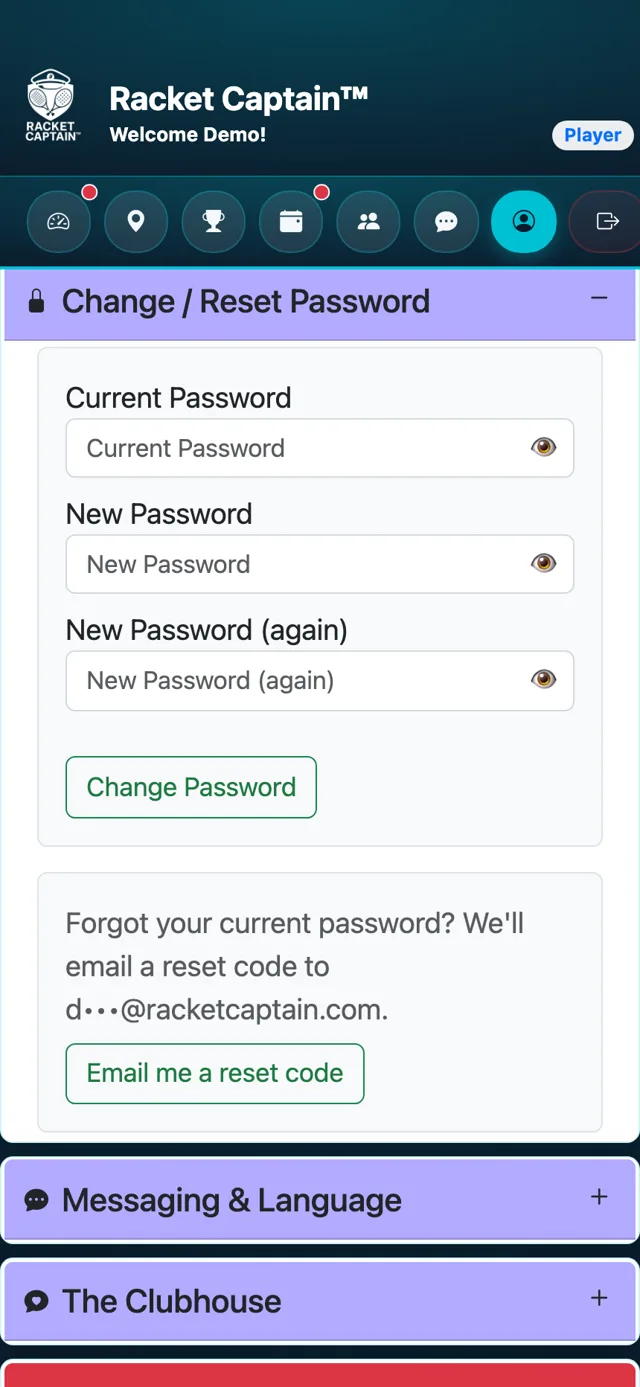
Step 1. On Profile, open Change / Reset Password. Enter your current password and the new one twice, then tap Change Password.
-
Step 2. Forgot your current password? Tap Email me a reset code and follow the email.
-
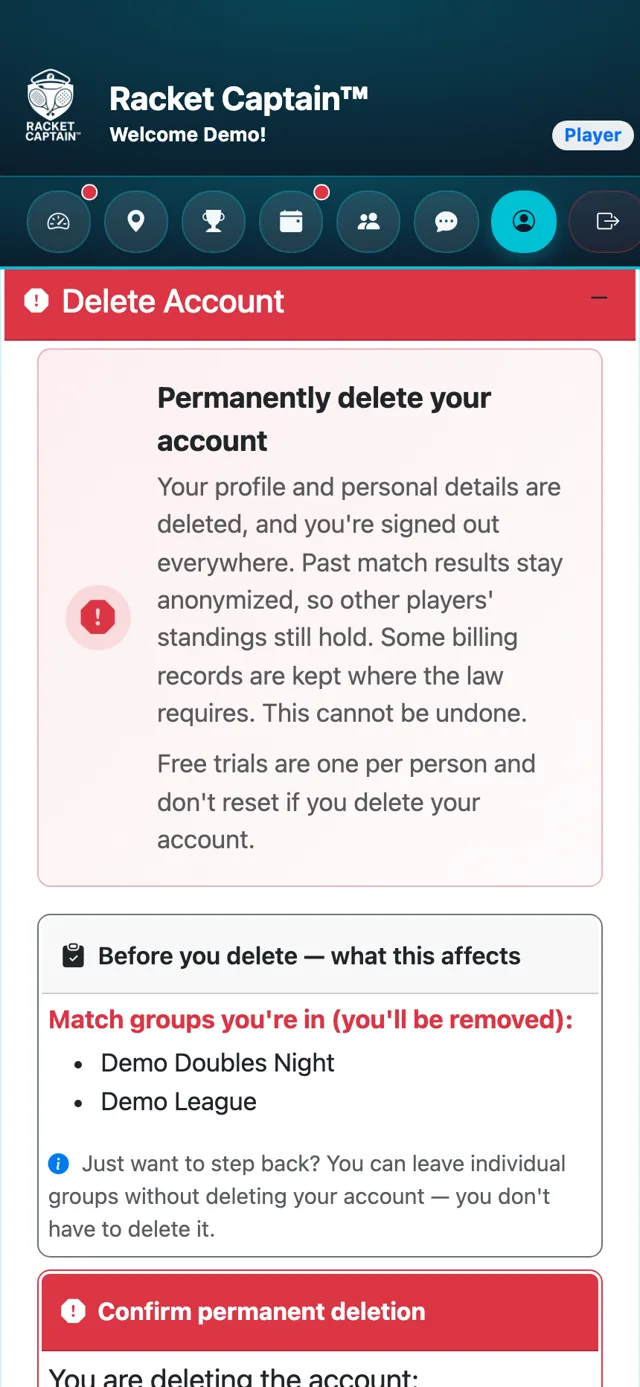
Step 3. Want to leave Racket Captain? Delete Account explains exactly what happens and which groups you'll leave before you confirm.
Fields in this section
| Field | What it means |
|---|---|
| Delete Account | Your profile and personal details are deleted. Past match results stay, anonymized, so other players' standings still hold. This cannot be undone. |
Good to know
- Just want a break from one group? Leave that group instead — you don't have to delete your account.
