Your captain dashboard
Needs Attention tells you what's waiting; Next Up shows your next event.
Open this in the app →-
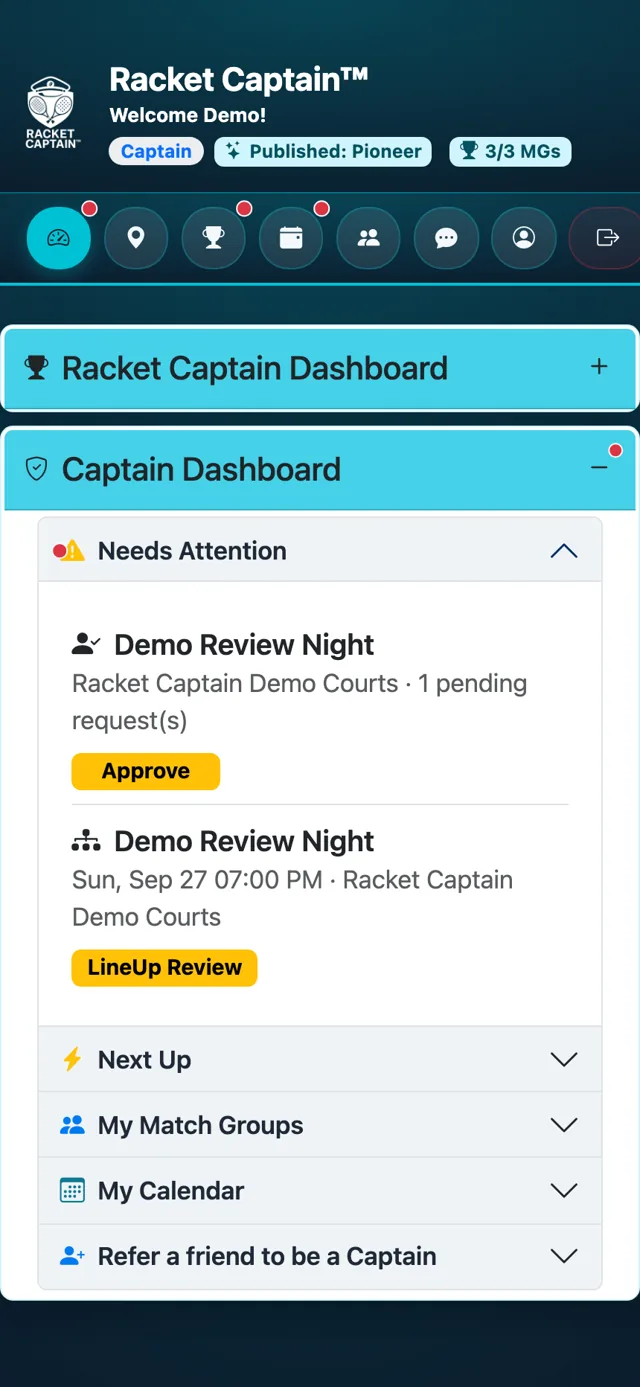
Step 1. Open your dashboard. Needs Attention lists what's waiting on you, each with a badge — for example LineUp Review, Review Results, Approve (a join request) or Place Newcomers. Tap one to go straight there.
-
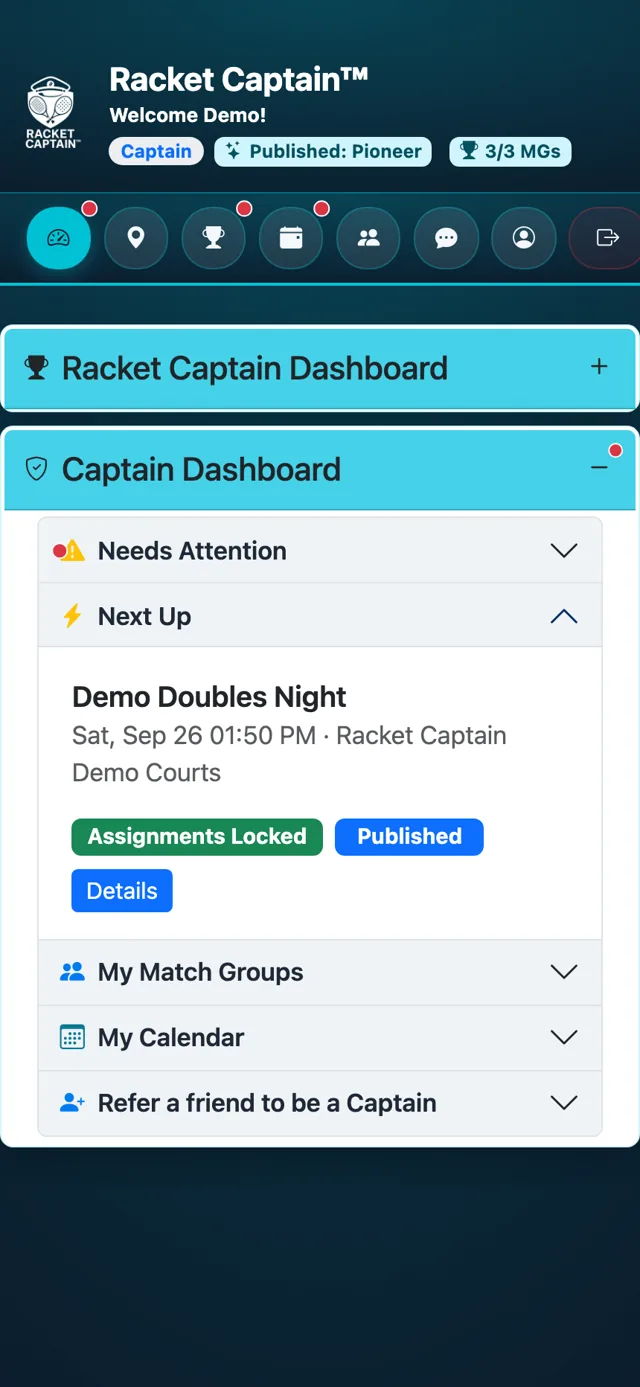
Step 2. Next Up shows your next event and its state, like Assignments Locked. Tap Details to open it.
Fields in this section
| Field | What it means |
|---|---|
| Needs Attention | Everything waiting on you. Empty means nothing needs you right now. |
| Next Up | Your next event, its state and a Details link. |
| My Match Groups / My Calendar | Your groups, and your events on a calendar. |
Good to know
- Most weeks you only need these two panels.
