Your profile & photo
Keep your name, phone number and photo up to date.
Open this in the app →-
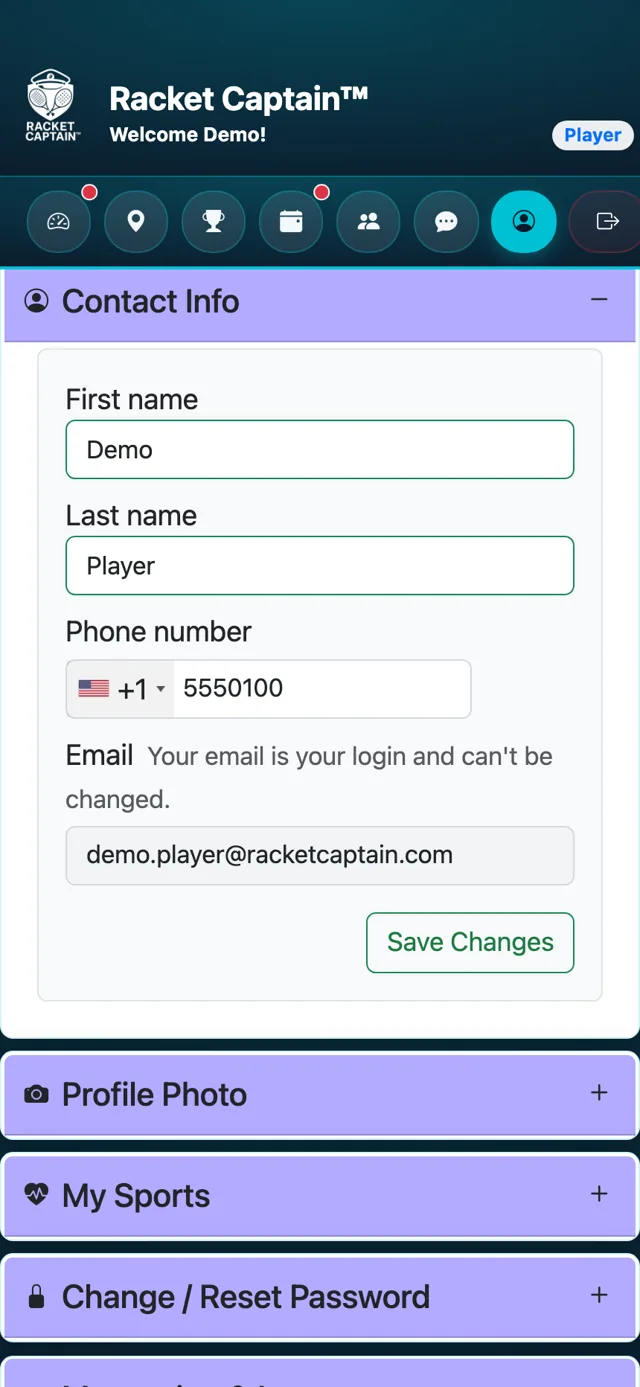
Step 1. Tap Profile, then open Contact Info. Update your first name, last name or phone number and tap Save Changes.
-
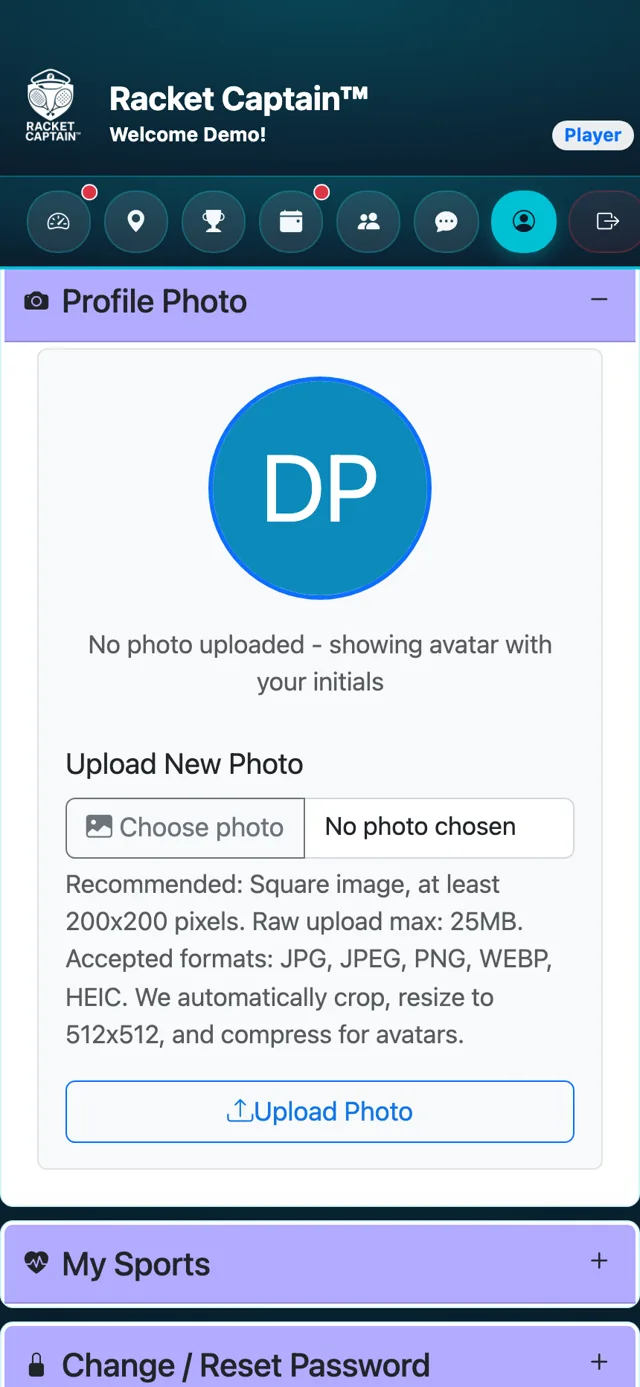
Step 2. Open Profile Photo, tap Choose photo, pick one and tap Upload Photo. Without a photo, your initials are shown.
Fields in this section
| Field | What it means |
|---|---|
| Your email is your login and can't be changed. | |
| Profile Photo | A square photo works best. JPG, PNG, WEBP and HEIC are accepted — the app crops and resizes it for you. |
Good to know
- Your captain and teammates see your name and photo on the roster and in chat.
