Capacity Planning
Tell Racket Captain how many courts you have — it works out how many players fit.
Open this in the app →-
Step 1. Open Capacity Planning and enter Courts reserved and Min players. Derived Max Capacity fills in by itself. Tap Update Capacity.
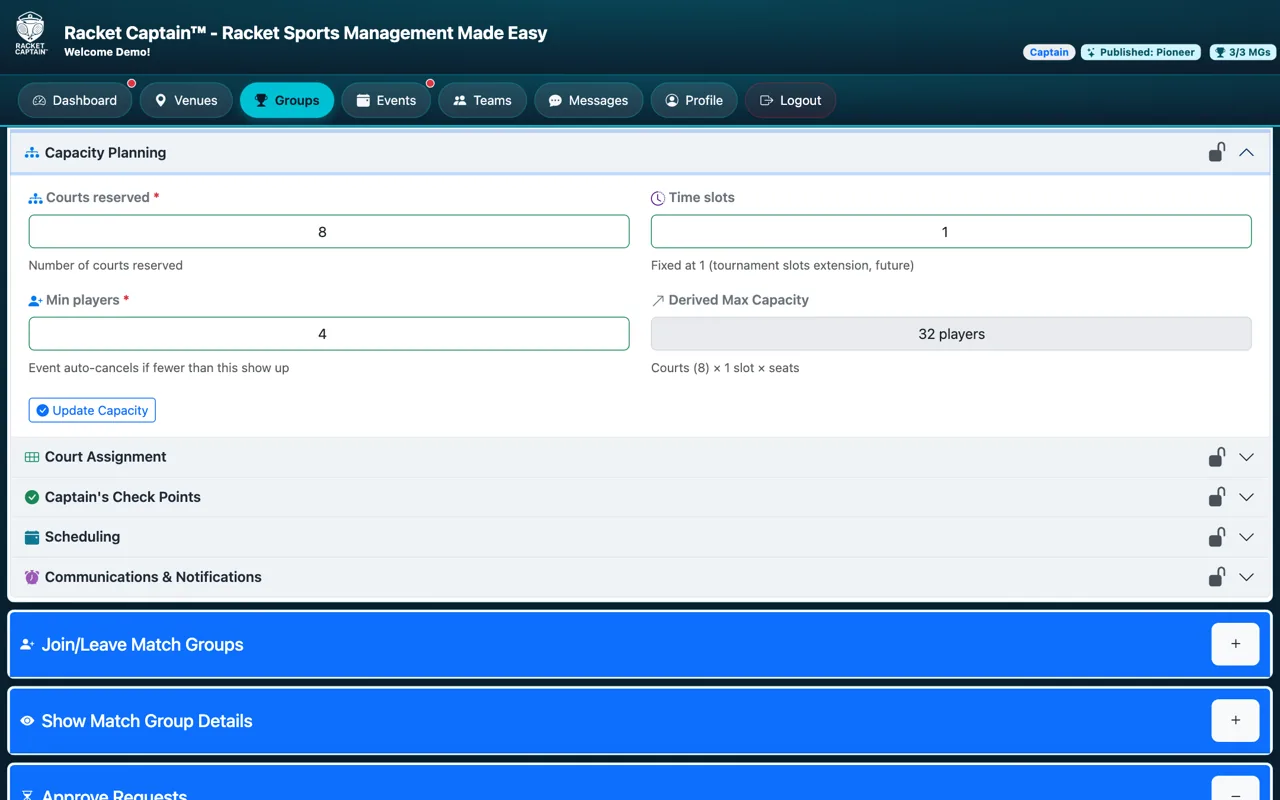
Fields in this section
| Field | What it means |
|---|---|
| Courts reserved | How many courts you have for each event. |
| Time slots | Fixed at 1. |
| Min players | The event auto-cancels if fewer than this show up. |
| Derived Max Capacity | Worked out for you: courts × players per court. |
| Capacity Outlook | Round Robin and Doubles Americano only: how your roster fits the seats, and for Round Robin the Flight Plan. |
Good to know
- More players than seats? That's what waitlists and substitutes are for — see Series Roster Mode in Event/Series Settings.
- Capacity locks once the series is published.
