Publish Readiness → Publish
Check every section is complete, then launch your series.
Open this in the app →-
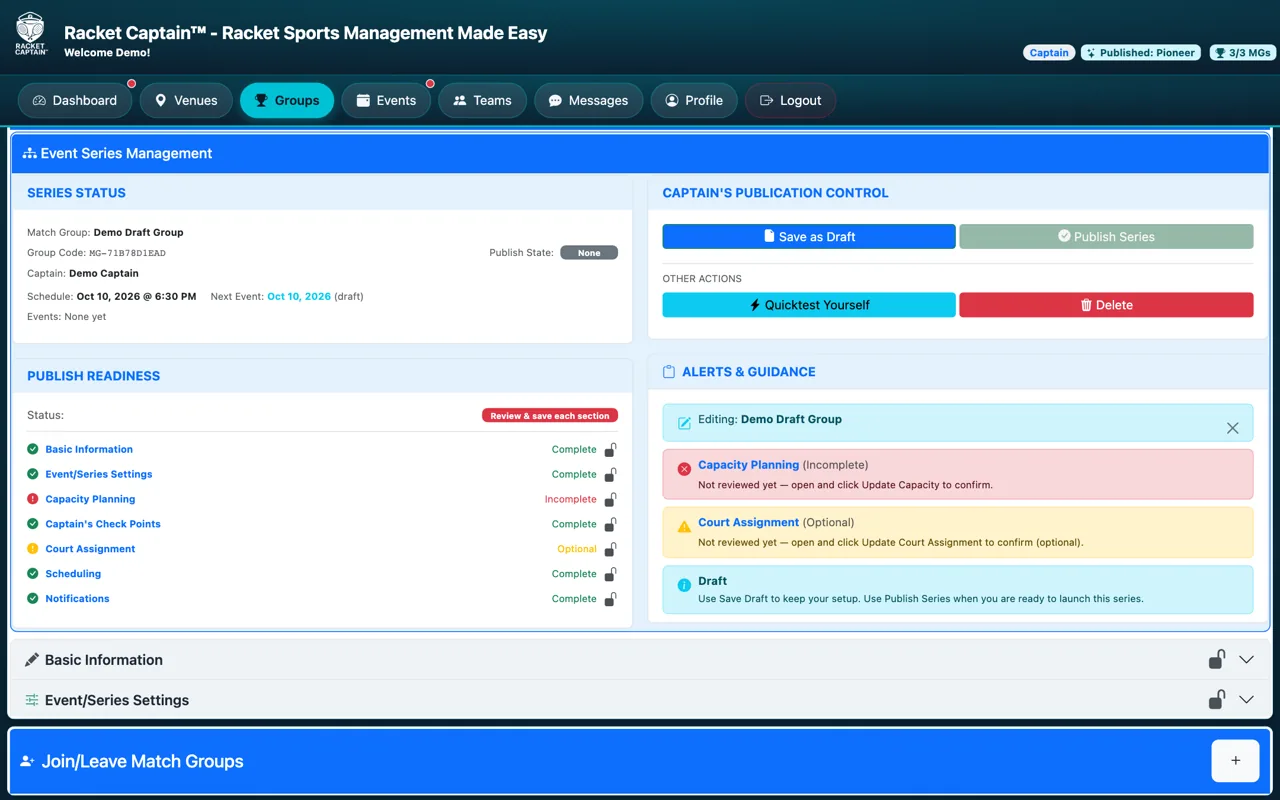
Step 1. Publish Readiness lists every section as Complete, Optional or Incomplete. Open any incomplete one, fix it and save it.
-
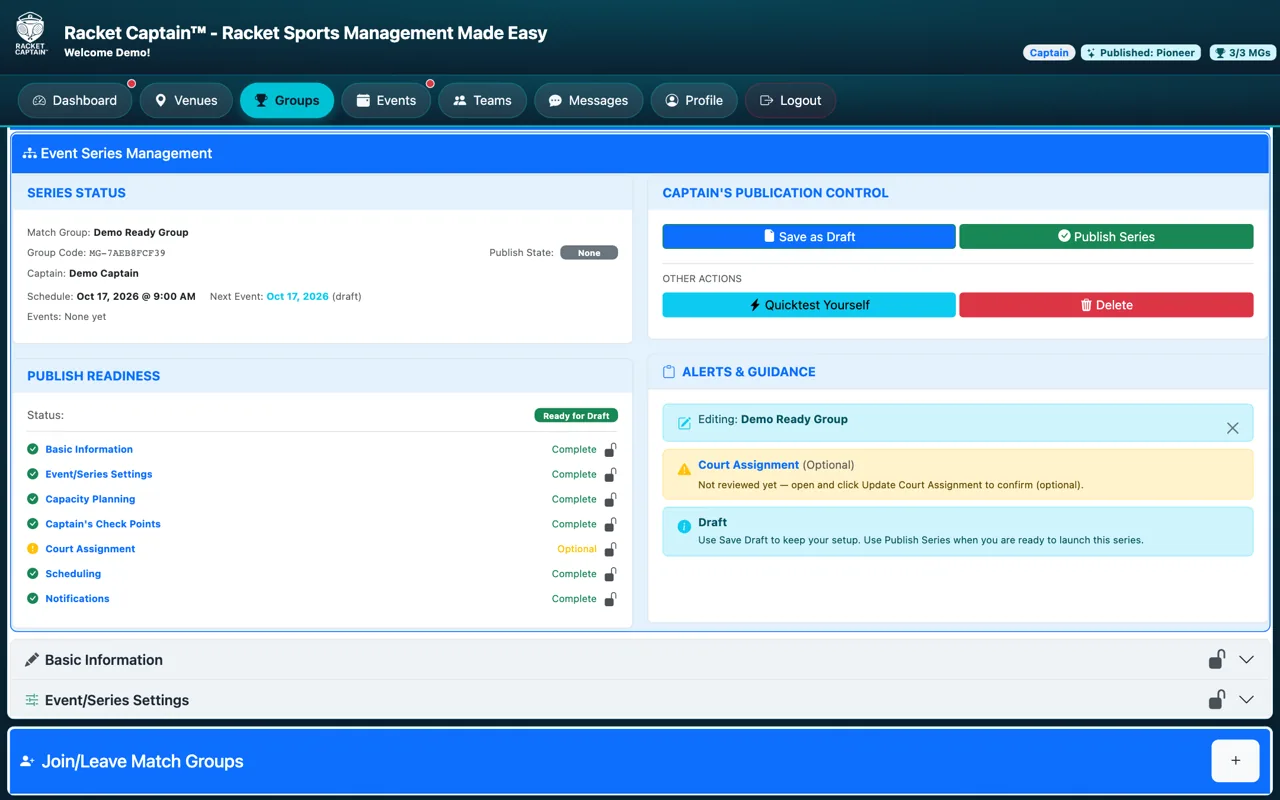
Step 2. When every required section is complete the status turns green: Ready for Draft. Tap Save as Draft — it then reads Ready to Publish. Tap Publish Series: your events are created, the Series Invitation goes out and the reminders are scheduled.
Fields in this section
| Field | What it means |
|---|---|
| Status | Review & save each section → Ready for Draft → (Save as Draft) → Ready to Publish → Published. |
| Save as Draft | Keeps your setup without launching it — players can't see a draft. |
| Publish Series | Makes the series live and creates its events. It's enabled once every required section is saved. |
| Pause Live Series / Resume Series | Pause to make changes to a live series, then resume. |
Good to know
- Publishing locks the setup sections — pause the series to change them.
- Try Quicktest Yourself to see what your players will see.
