Scheduling
Take a moment here — this choice shapes every event in your series.
Set the first date, the time and how often the group plays.
Open this in the app →-
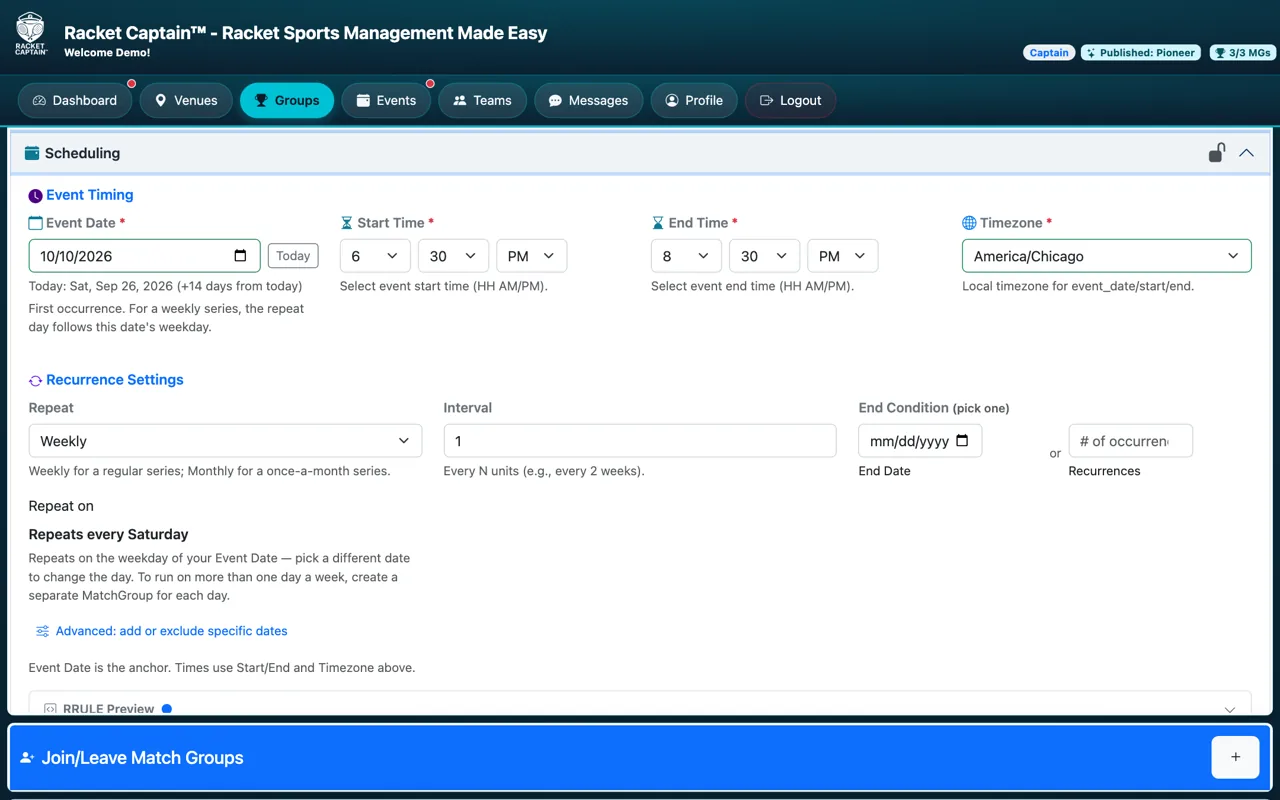
Step 1. Open Scheduling. Set the Event Date (the first one), Start Time, End Time and Timezone.
-
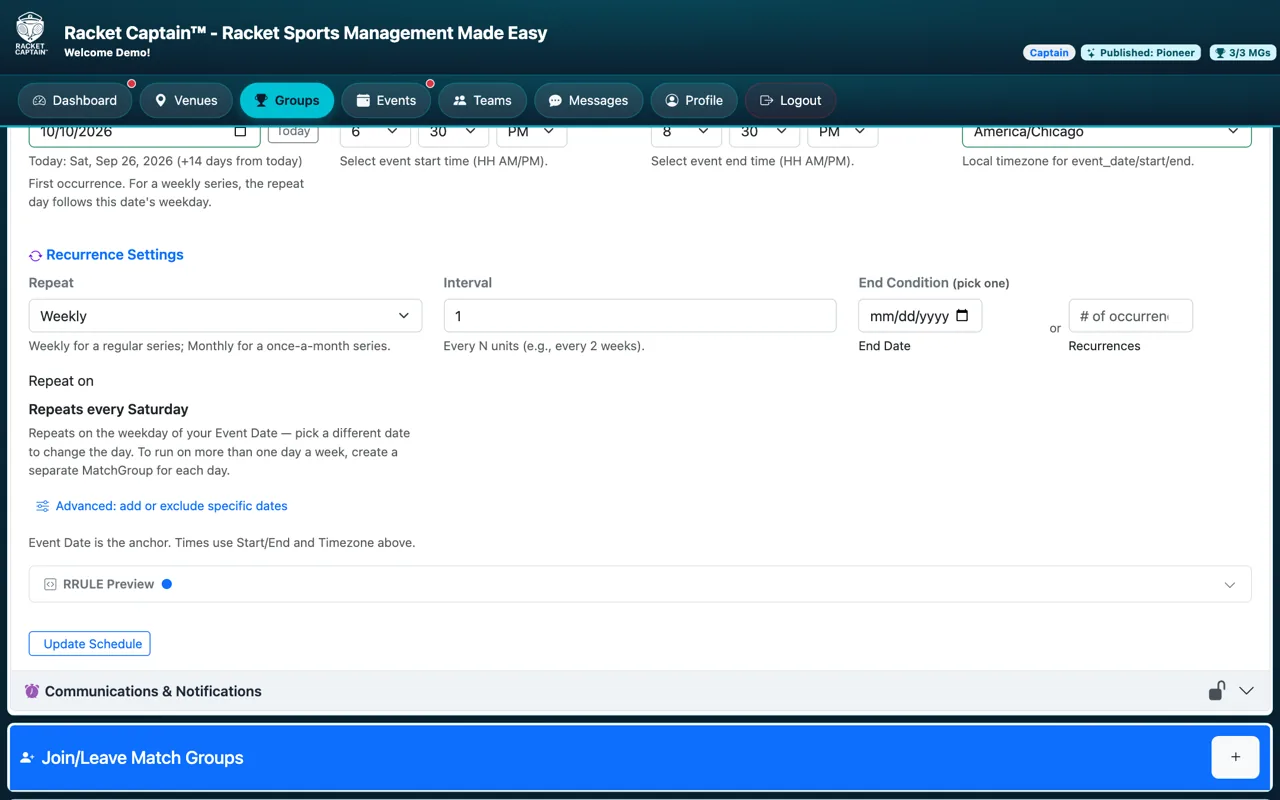
Step 2. Under Recurrence Settings, choose Repeat, the Interval, and one End Condition — an End Date or a number of Recurrences. Tap Update Schedule.
Fields in this section
| Field | What it means |
|---|---|
| Event Date | The first occurrence. For a weekly series, the repeat day follows this date's weekday. |
| Start Time / End Time | When each event starts and ends. |
| Timezone | Times are shown and scheduled in this timezone. |
| Repeat | Weekly for a regular series; Monthly for a once-a-month series. |
| Interval | Every N units — for example every 2 weeks. |
| End Condition | Pick one: an End Date or a number of Recurrences. |
| Advanced: add or exclude specific dates | Add an extra date, or skip one — a holiday, say. |
Good to know
- To play on more than one day a week, create a separate Match Group for each day.
- Once published, pause the series to change the schedule.
