Pause, cancel or change the schedule
Stop one event, pause the whole series, or move future dates.
Open this in the app →-
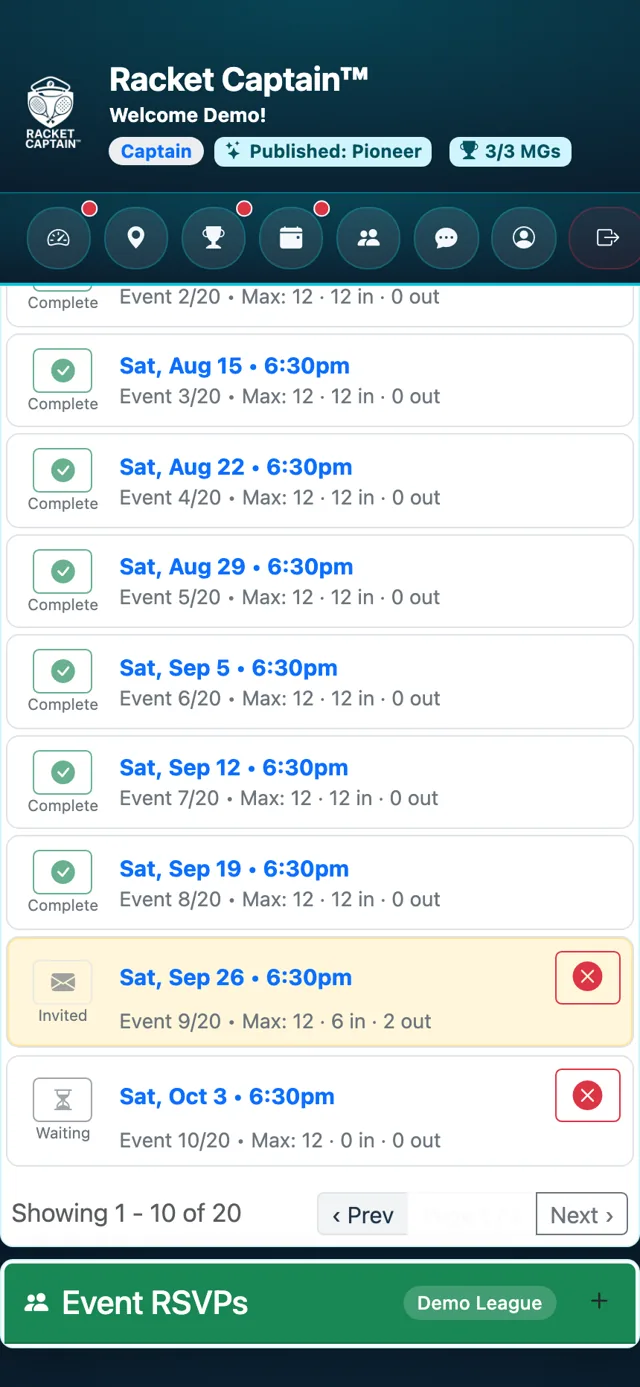
Step 1. To cancel one event, tap the red ⓧ on its row in Current Events and confirm.
-
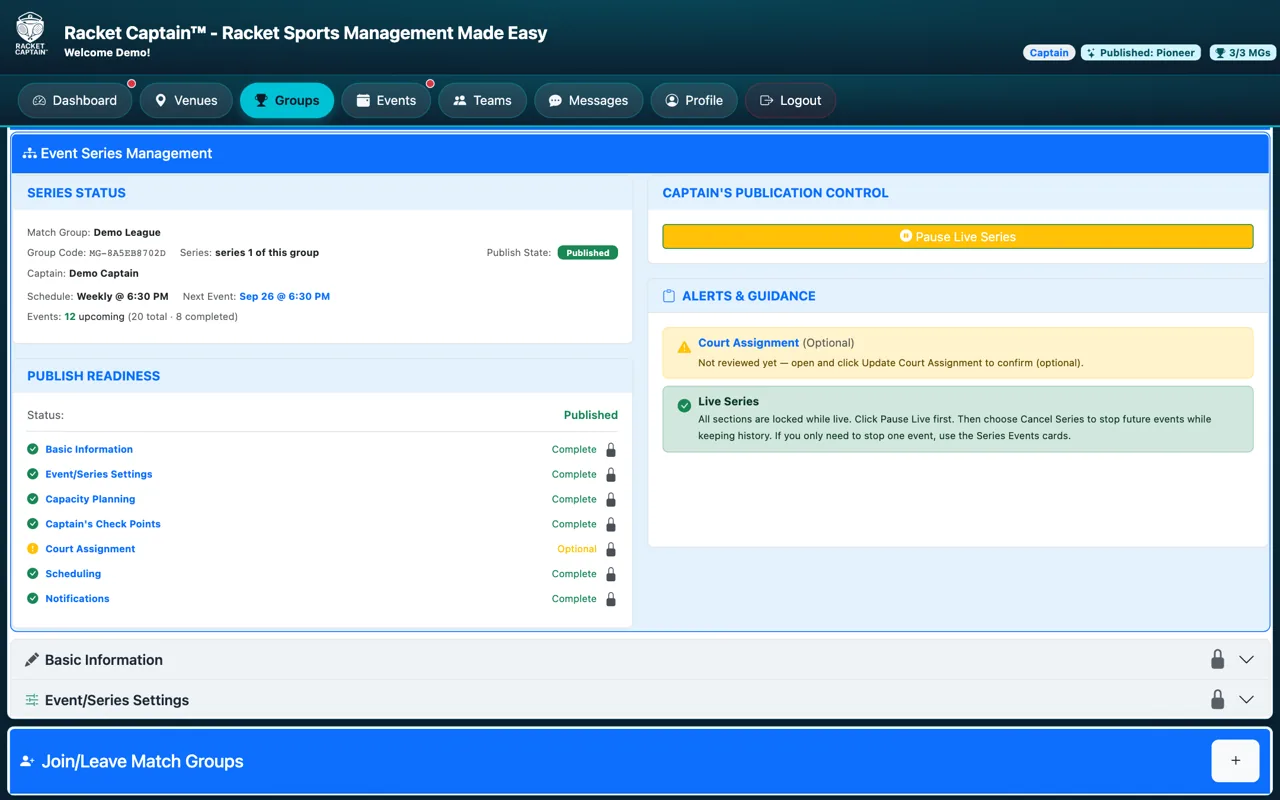
Step 2. For the whole series, open your group in Create/Manage Match Groups. Tap Pause Live Series — setup sections unlock while it's paused. Resume Series puts it back live.
-
Step 3. While paused, Change Schedule moves the remaining events. Cancel Series stops future events and keeps the history.
Fields in this section
| Field | What it means |
|---|---|
| Pause Live Series / Resume Series | Pause to make changes, then resume. |
| Change Schedule | Only while paused: set the remaining events' dates. |
| Cancel Series | Stops future events; past results stay. You type a word to confirm. |
Good to know
- There's no moving a single event — to shift dates, pause and use Change Schedule.
