Seeding, Rankings & Standings
Take a moment here — this choice shapes every event in your series.
Set your Captain's Seeding for the first event, and follow rankings and standings as the series runs.
Open this in the app →-
Step 1. Open Seeding, Rankings & Standings. A Needs attention badge means something is waiting for you. Tap How this works for a short explanation.
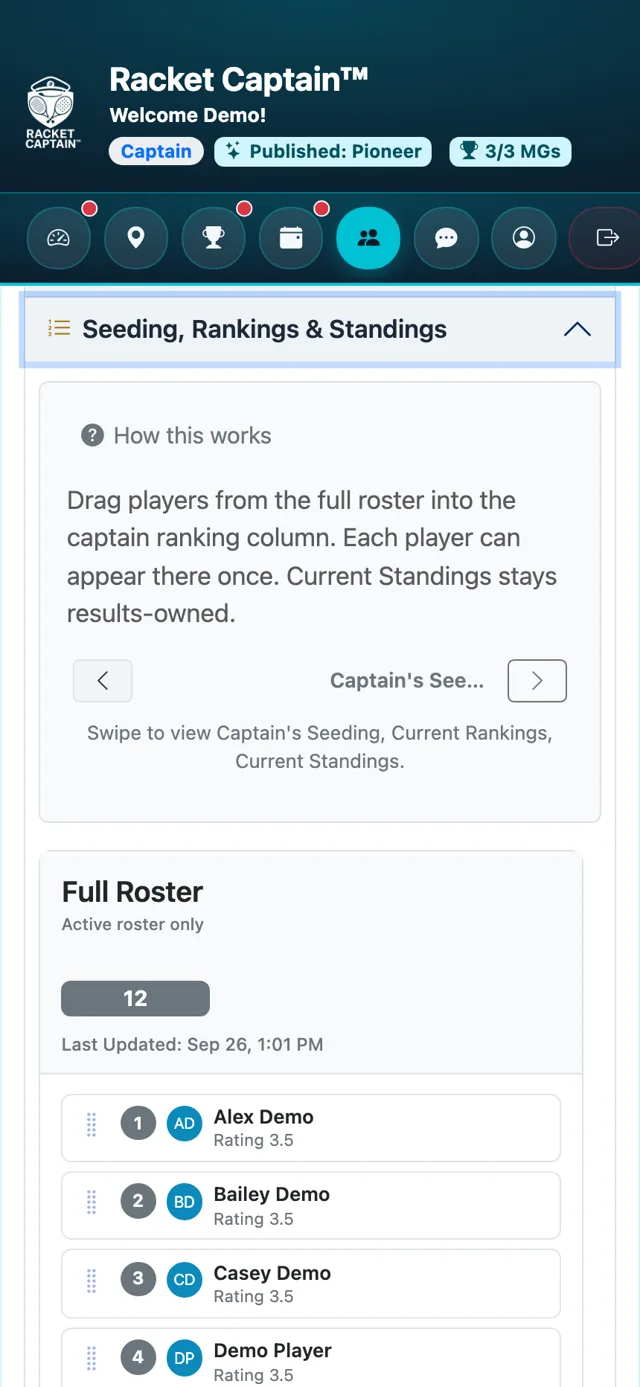
-
Step 2. Drag players from Full Roster into Captain's Seeding, in the order you want — or tap + next to a name, or Move All. Each player appears once. It saves by itself.
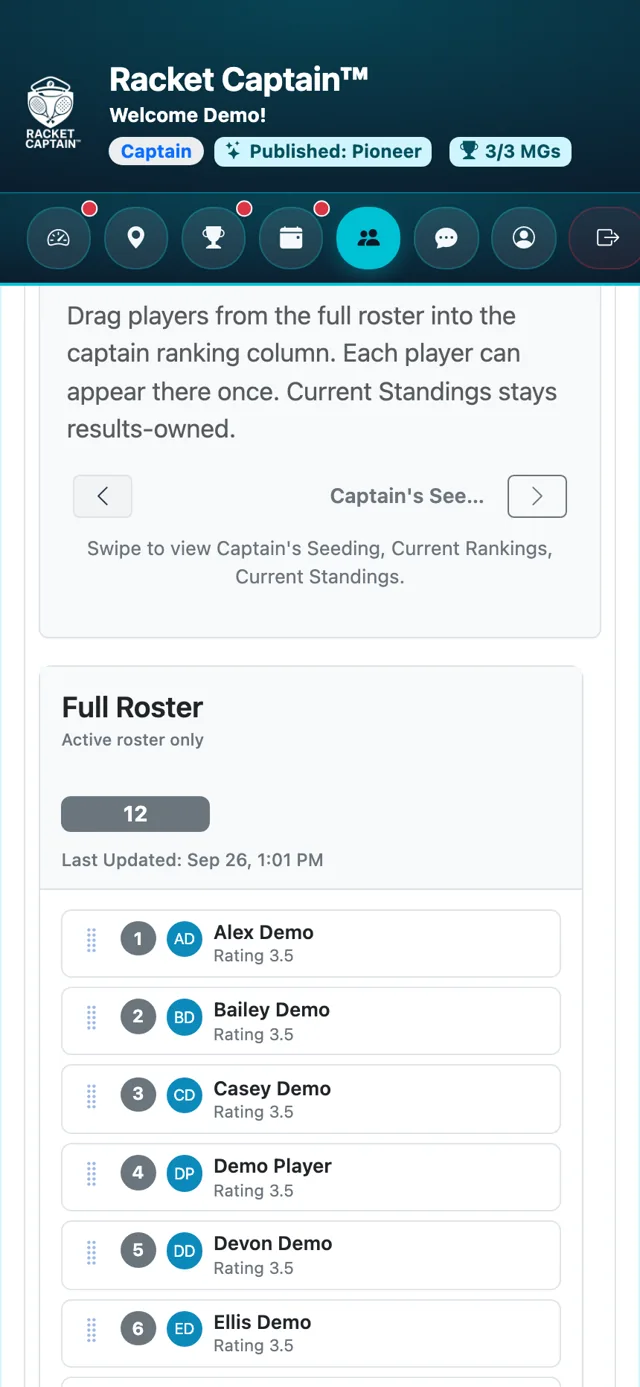
Fields in this section
| Field | What it means |
|---|---|
| Full Roster | Everyone on the active roster. |
| Captain's Seeding | Your order for the first event. It's frozen once the first event locks. |
| Current Rankings | Read-only once the series runs — except new members, who you place with + and drag to the right spot. |
| Current Standings | Results, once there are some. You can't edit them — they come from the scores. |
| How should this new series start? | For a new series: use last series' final rankings, your previous captain ranking, or start empty. |
Good to know
- On a phone, swipe or use the arrows to move between the columns.
- Seeding only sets the starting order — results take over from there.
