Find or recommend your venue
Put the courts you play on into Racket Captain — find them, or add them if they're not listed yet.
Open this in the app →-
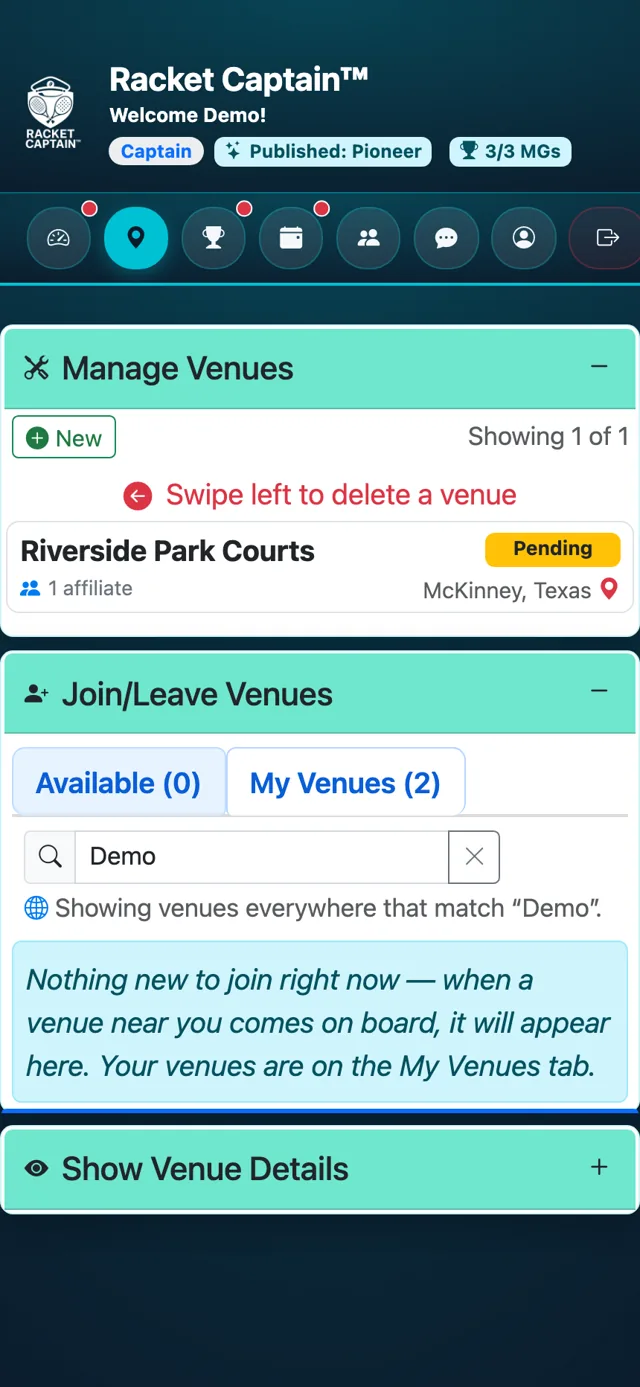
Step 1. Open Venues and search for your courts. If they're already listed, join them from Join/Leave Venues — that's all you need.
-
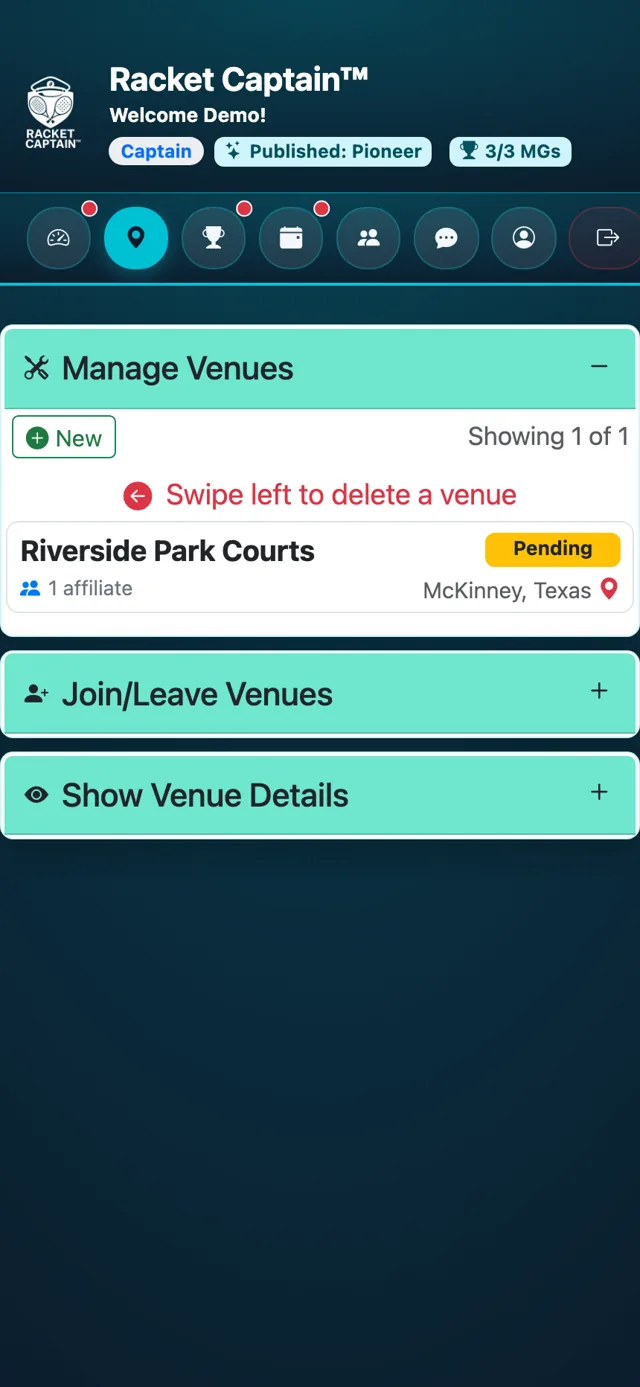
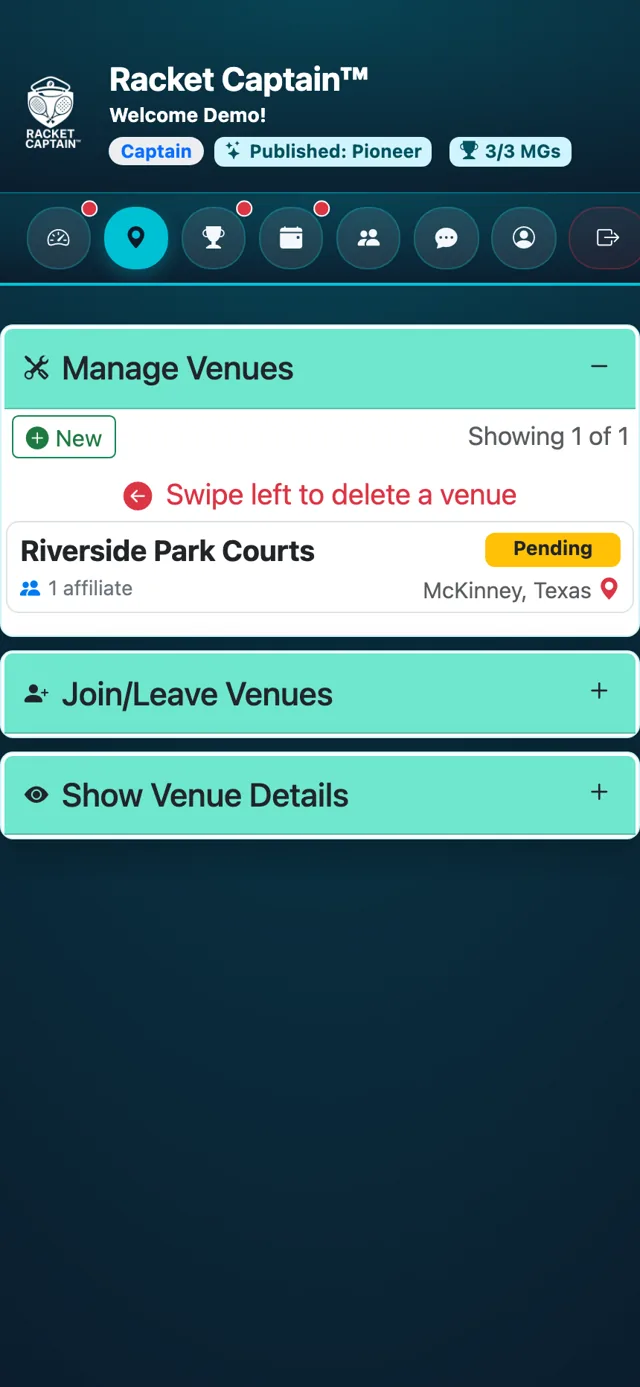
Step 2. Not listed? In Manage Venues, tap + New. The Create Venue card opens.
-
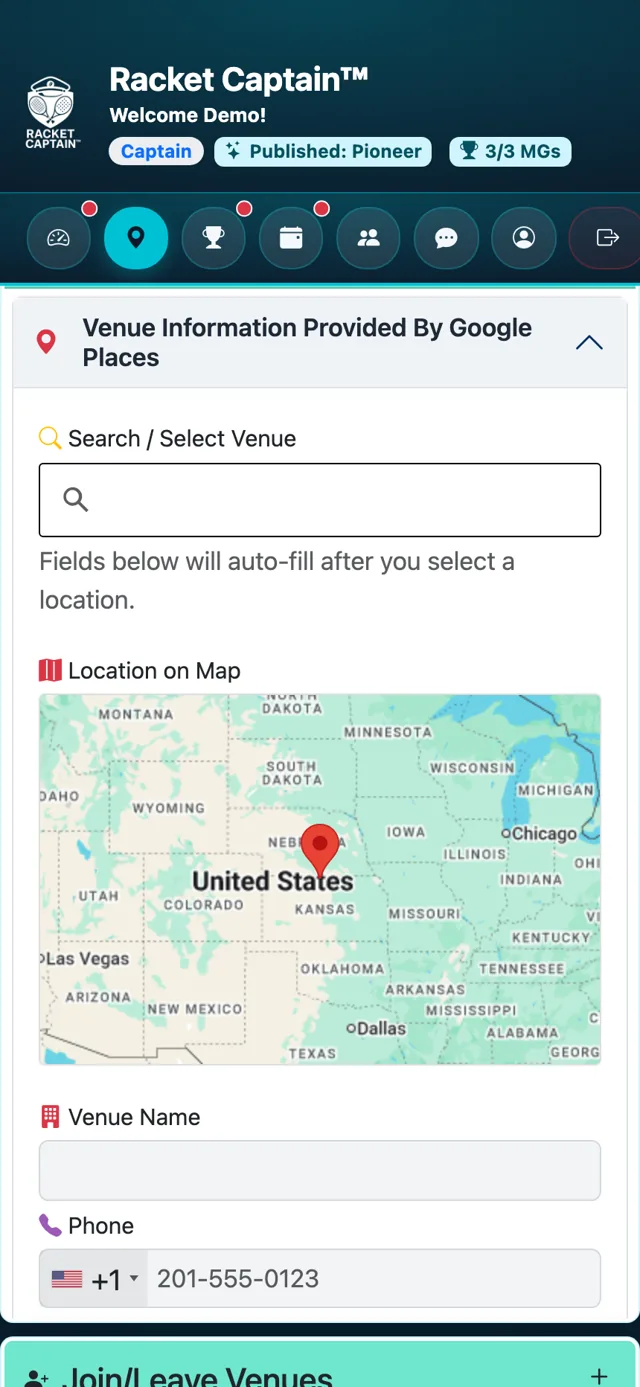
Step 3. Under Venue Information Provided By Google Places, use Search / Select Venue and pick your courts. The name, address, phone and map fill in by themselves.
-
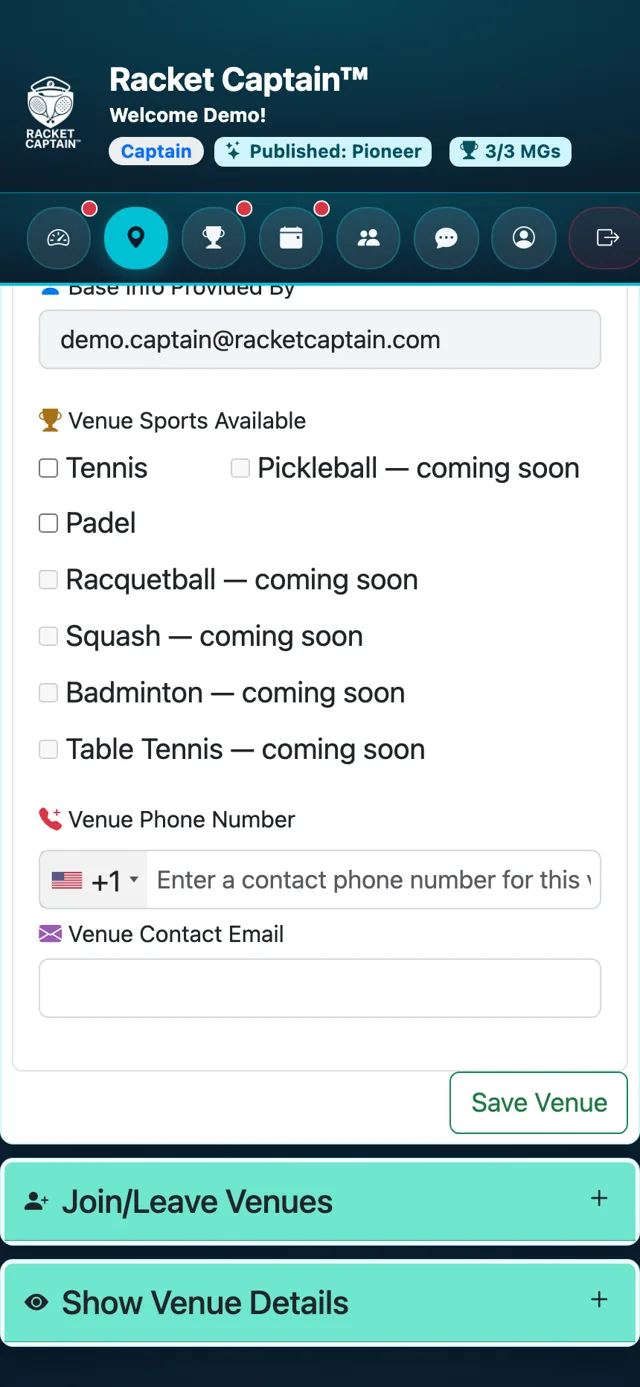
Step 4. In Additional Information, add the Venue Sports Available and a Venue Phone Number or Venue Contact Email if you have them.
-
Step 5. Tap Save Venue. Your venue appears right away, marked Pending, and you're a member of it automatically.
Good to know
- Recommending a venue does not make you its owner. As the proposer you hold it in custody until the venue's legal representative is identified and verified. What being the proposer does do: it opens the venue to every captain and player feature in Racket Captain, for everyone who plays there.
- You don't need to be the club or the manager — any captain who plays there can recommend it.
- Search first: one venue should have one listing, even if people call it by different names.
- Pending doesn't hold you back — you can set up your Match Group there straight away. See What happens after you recommend a venue.
- Work for the club or facility itself? The venue can be verified with you as its representative — ask us at support@racketcaptain.com.
