Approve member requests
When your venue approves its members, their requests wait for you here.
Open this in the app →-
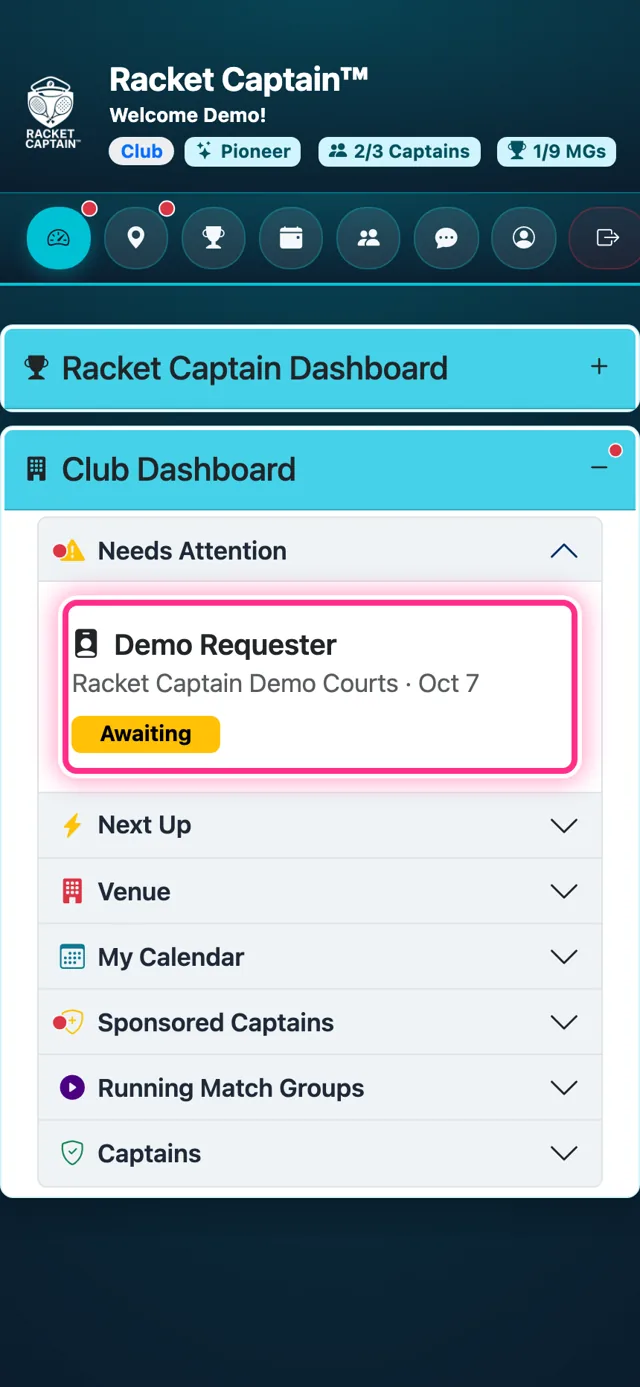
Step 1. A waiting request shows on your Club Dashboard under Needs Attention: who asked, for which venue and when, marked Awaiting. Tap it.
-
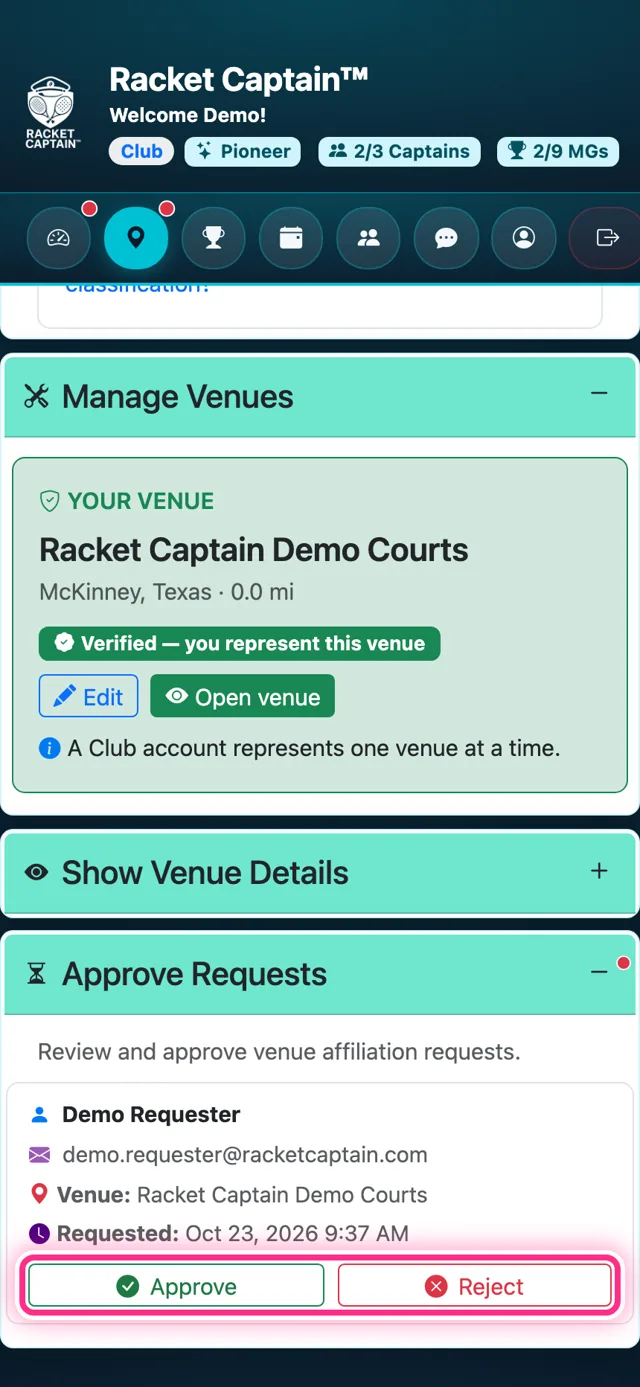
Step 2. Approve Requests opens on the Venues page with the request: name, email, Venue and Requested date. Tap Approve to let them in, or Reject.
Good to know
- Requests appear only when your venue approves its members. An open venue lets players join instantly — ask the Racket Captain team to switch approval on.
- Approved members can join groups at your venue, see the schedule and use the venue chat.
- Only the venue's representative (or Racket Captain staff) can approve or reject.