See what's running at your venue
Every group, captain and match at your venue, from your dashboard.
Open this in the app →-
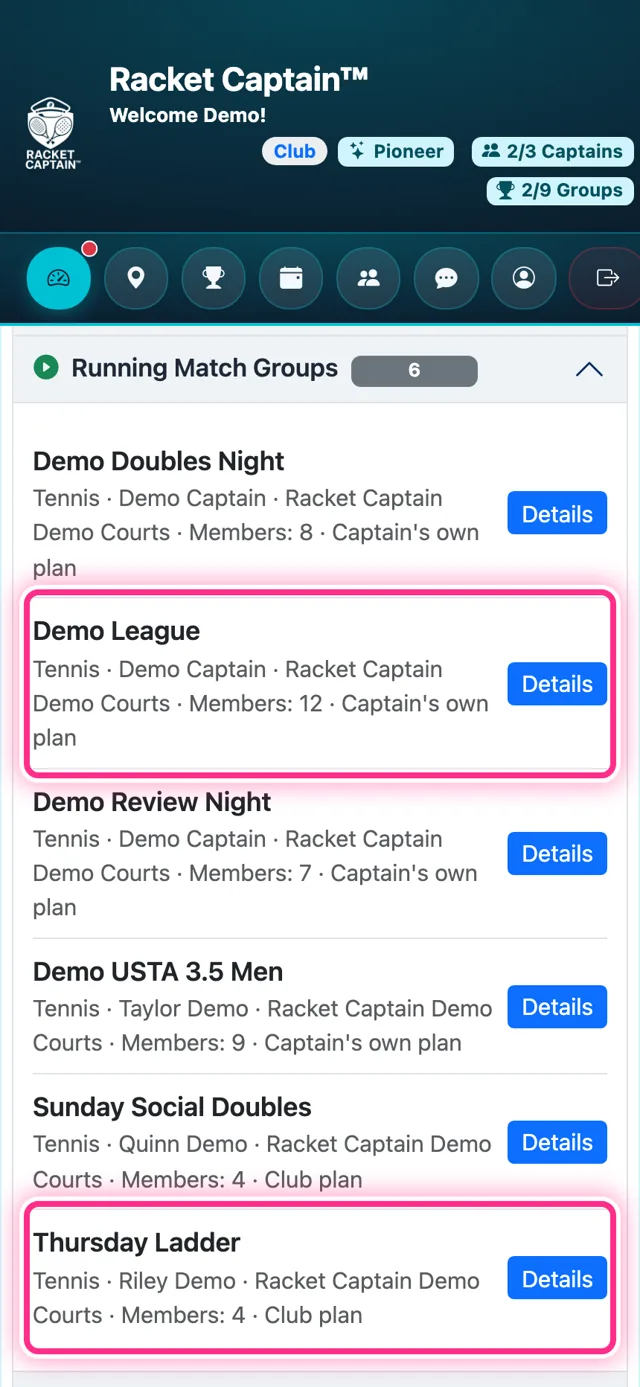
Step 1. Open Running Match Groups — every active group at your venue, with its members and whether it runs on the Club plan or the Captain's own plan. Details opens the group's card.
-
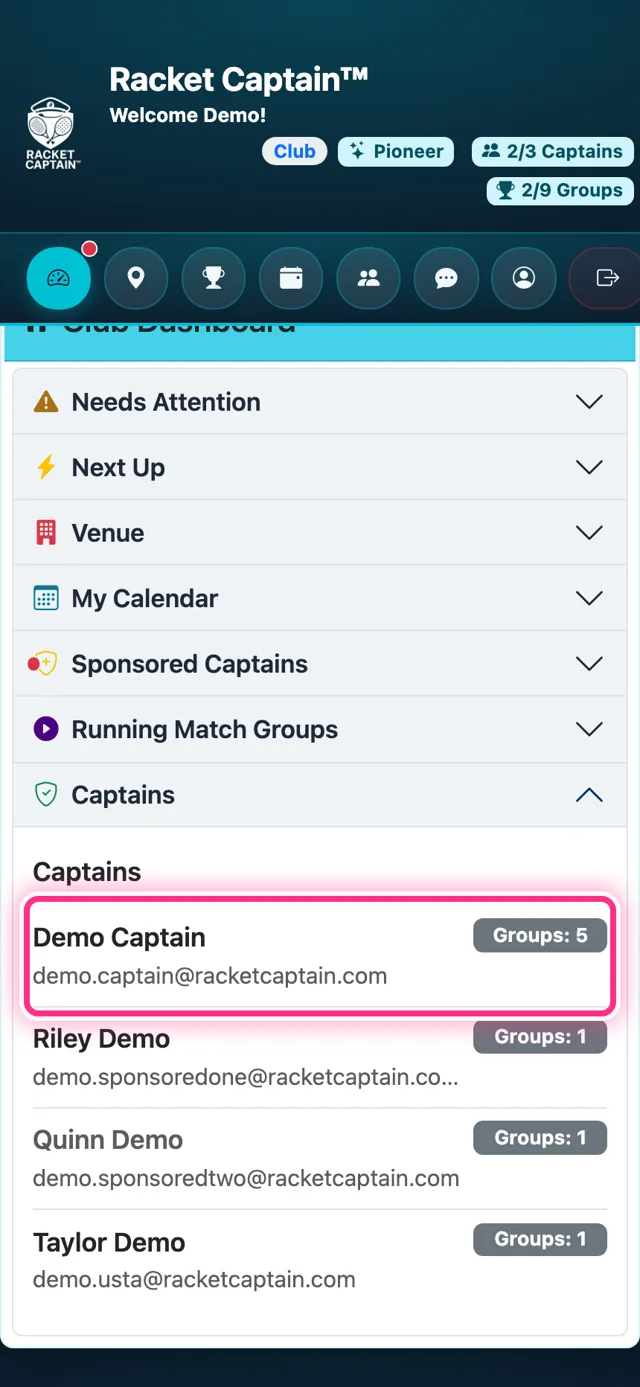
Step 2. Captains lists everyone captaining at your venue, with how many Groups each runs. Tap a captain to see their Match Groups, and Events for each group's schedule.
-
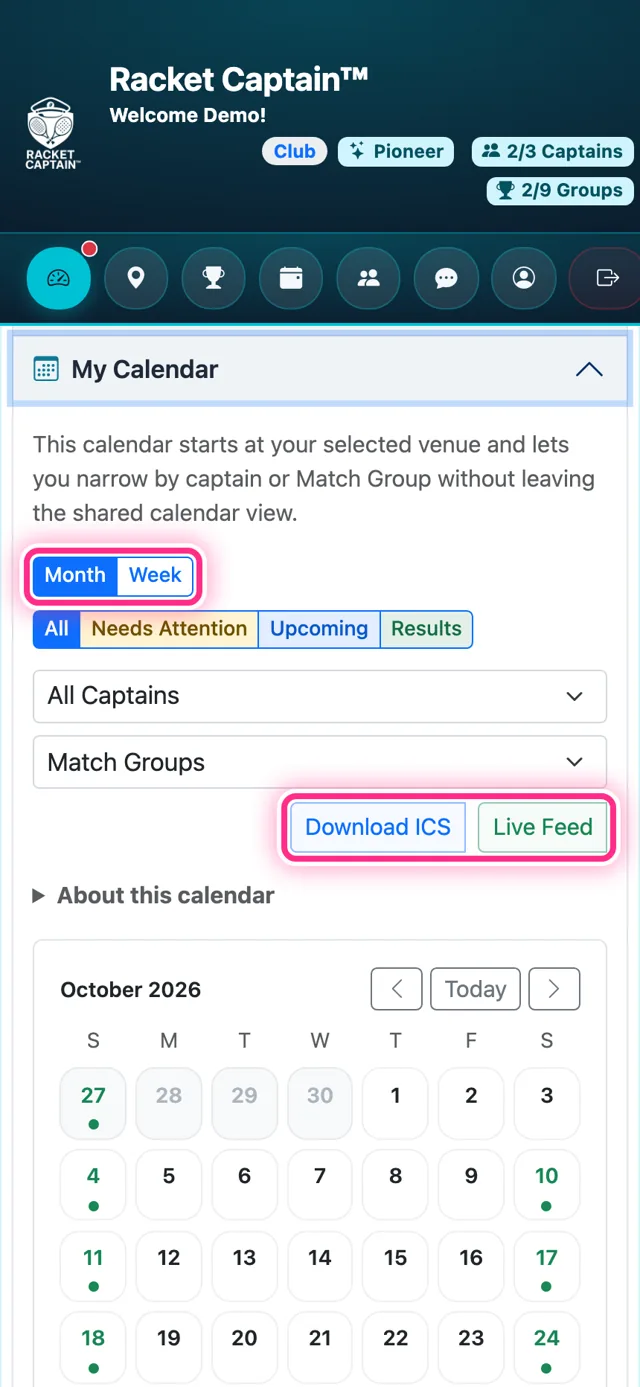
Step 3. My Calendar shows every match at your venue by Month or Week. Narrow it with All Captains or Match Groups without leaving the calendar, or take it with you — Download ICS or Live Feed.
Good to know
- Anybody who plays at your venue can captain there — starting a group needs no permission from you.
- Next Up on your dashboard is the next match at your venue.
- Groups on the Club plan are ones you sponsor; the others are paid for by their captains.