Your venue's public card
The shop window — what players and captains see when they look your venue up.
Open this in the app →-
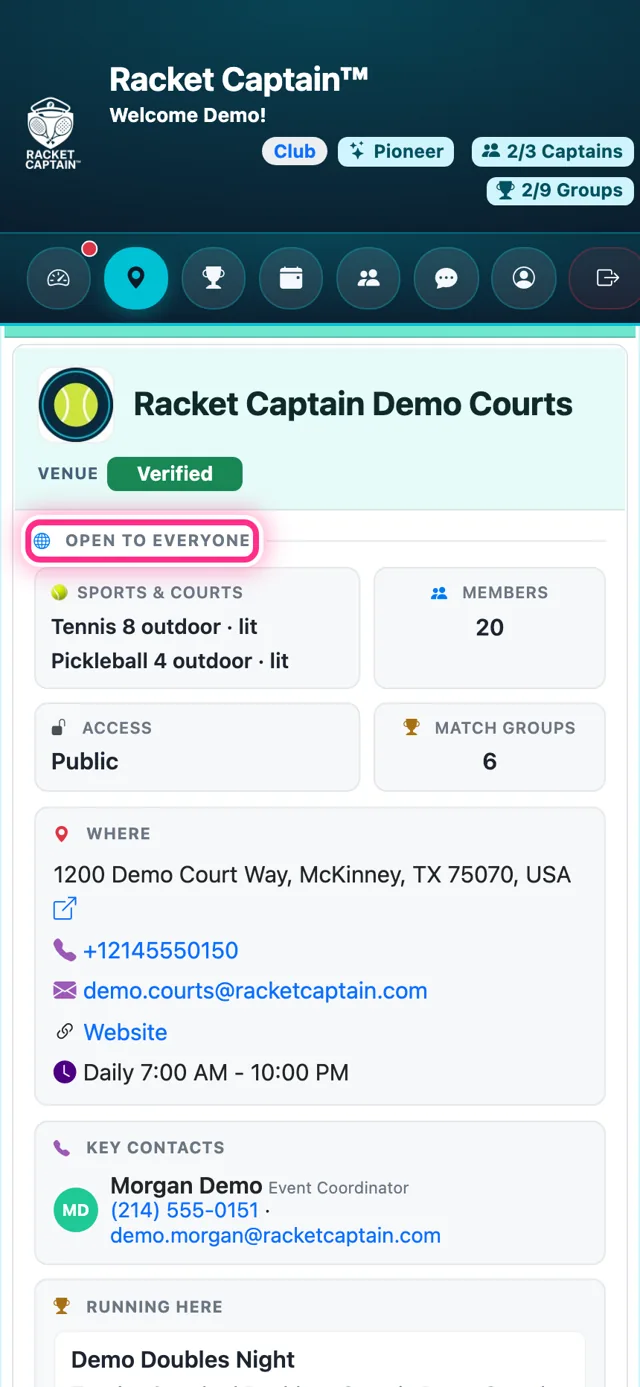
Step 1. From My Venue, tap Preview the card → (or open Show Venue Details on the Venues page). The top is Open to everyone: Sports & courts, Members, Access, Match Groups, Where to find you and the groups Running here — plus About and Key contacts once you've filled them in.
-
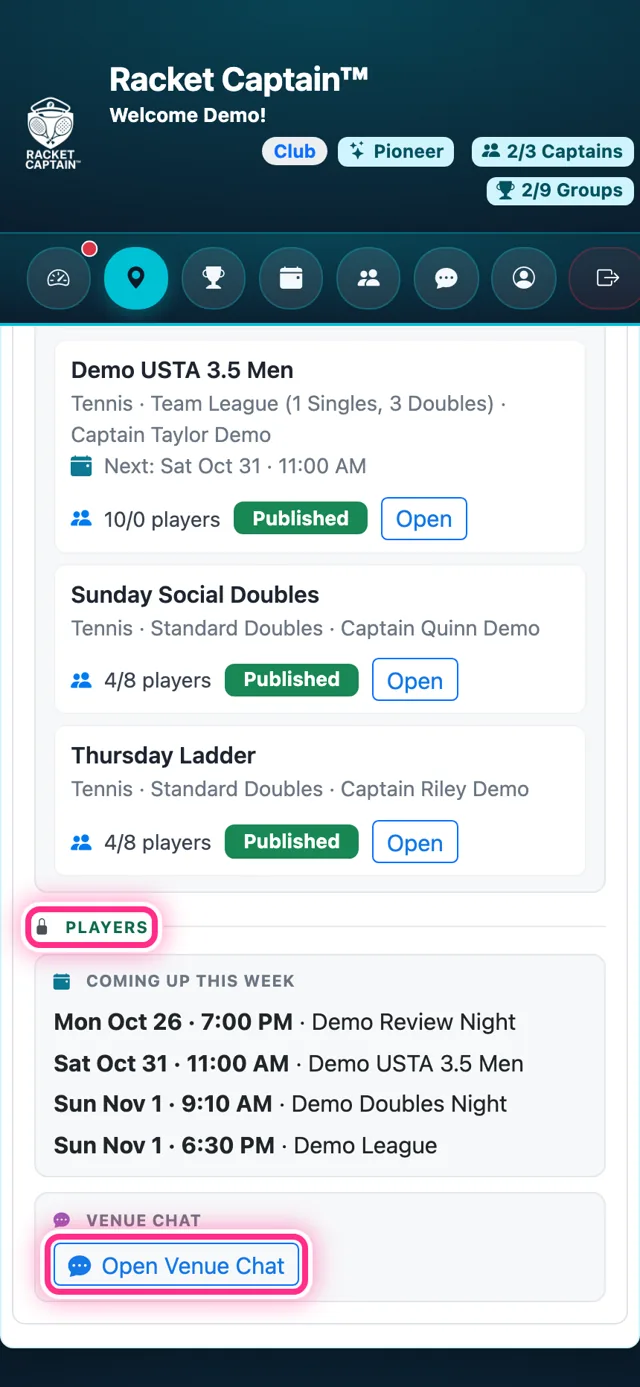
Step 2. Below the line is for Players only — people who have your venue in My Venues: Coming up this week at your venue and the Open Venue Chat link. Everyone else sees I Play Here instead.
Good to know
- The card is your marketing spot. Money, meters and controls never appear here — they stay on My Venue.
- People appear only when their row is ticked Show on venue card.
- The Verified chip appears once Racket Captain has confirmed you.
- Captains see this same card when they choose where to run a group.