Your venue profile
Take a moment here — this choice shapes every event in your series.
Keep what players and captains see up to date — contact info, sports and courts, people, logo.
Open this in the app →-
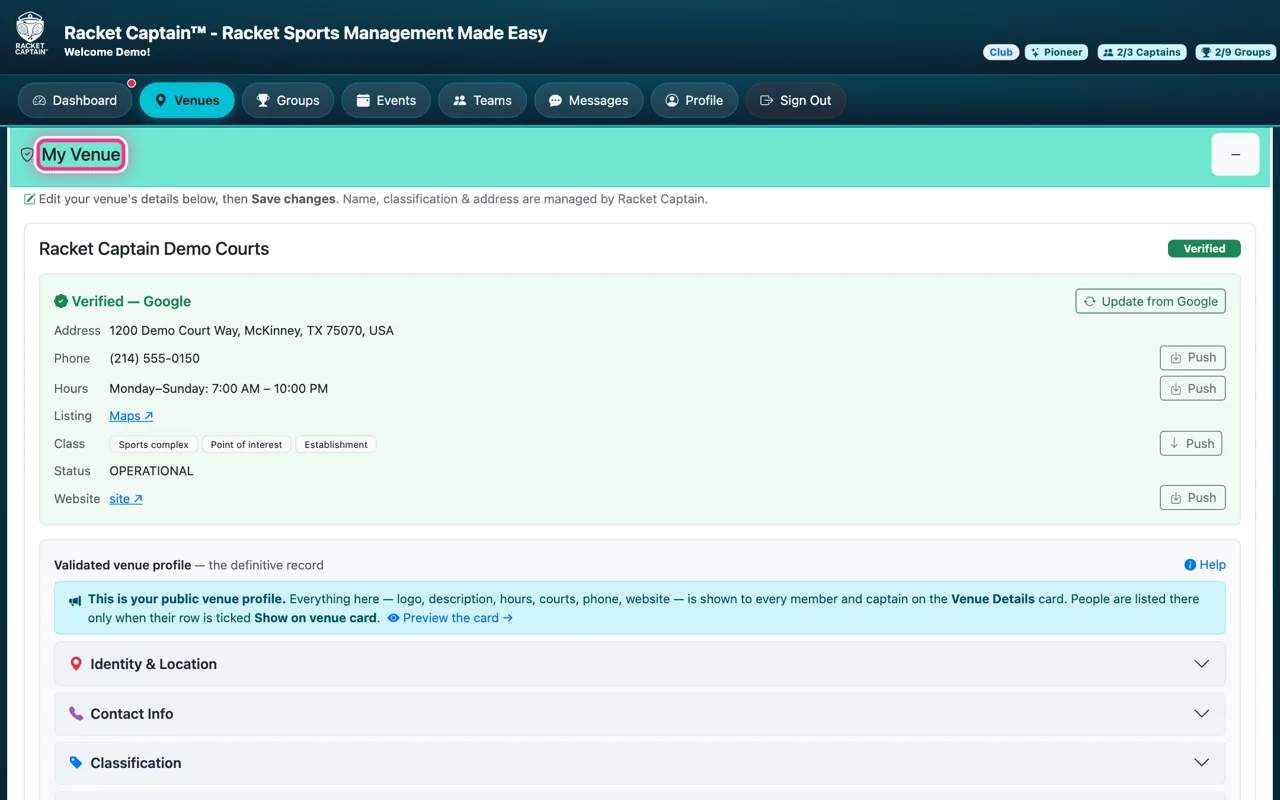
Step 1. Open Venues. My Venue sits at the top — this is your public venue profile. Edit the sections below, then Save Changes.
-
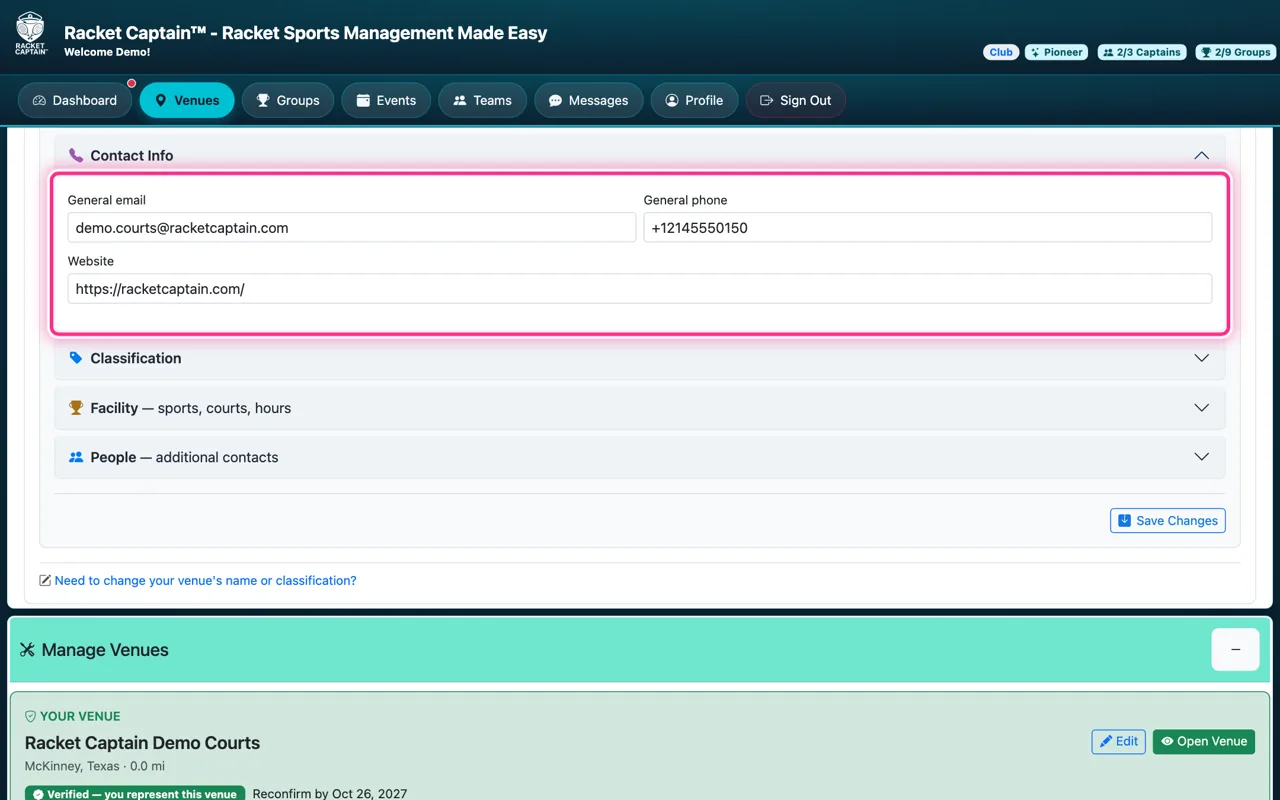
Step 2. Contact Info — General email, General phone and Website. These are public: they're how players reach your venue.
-
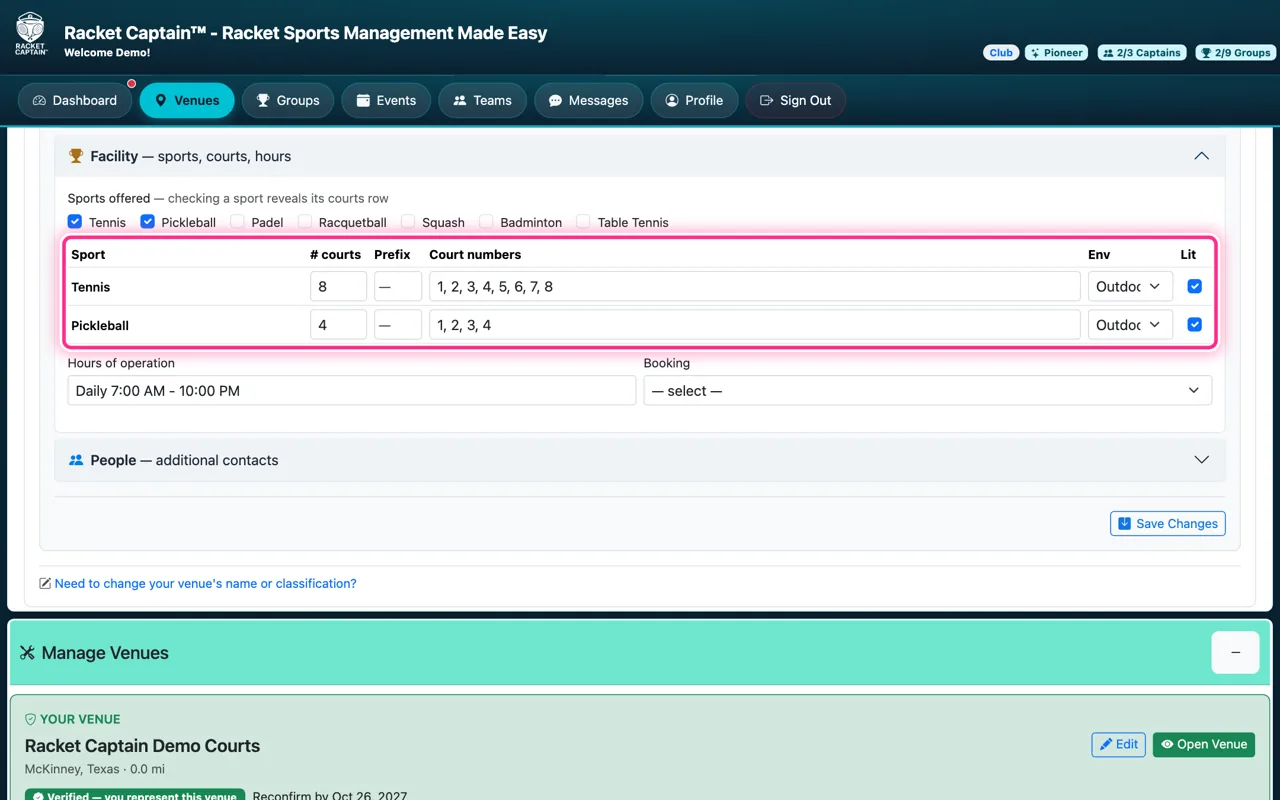
Step 3. Facility — tick the Sports offered, then set each sport's # courts, Court numbers, indoor or outdoor (Env) and whether they're Lit. Hours of operation and Booking live here too. Captains pick from these courts when they set up a group.
-
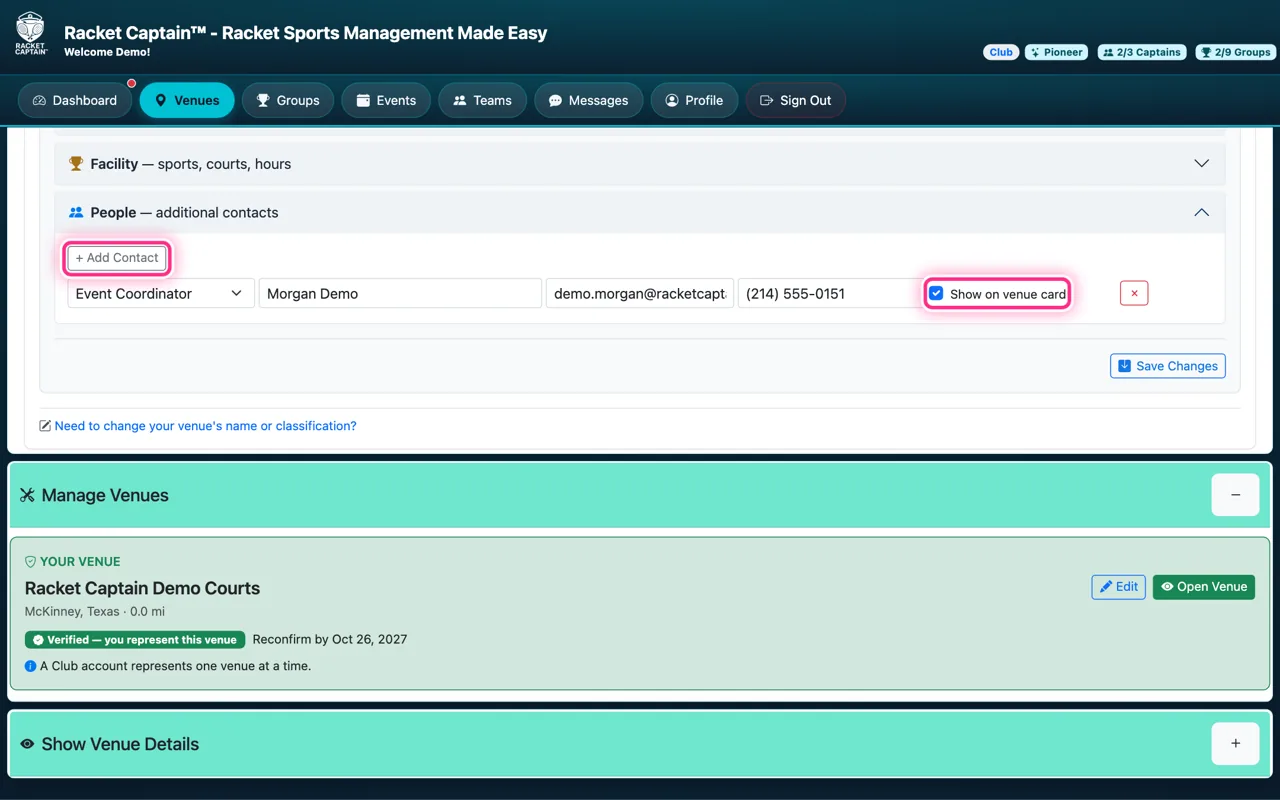
Step 4. People — + Add Contact for your staff and key contacts: role, name, email, phone. Tick Show on venue card for anyone who should appear publicly; unticked rows stay private.
-
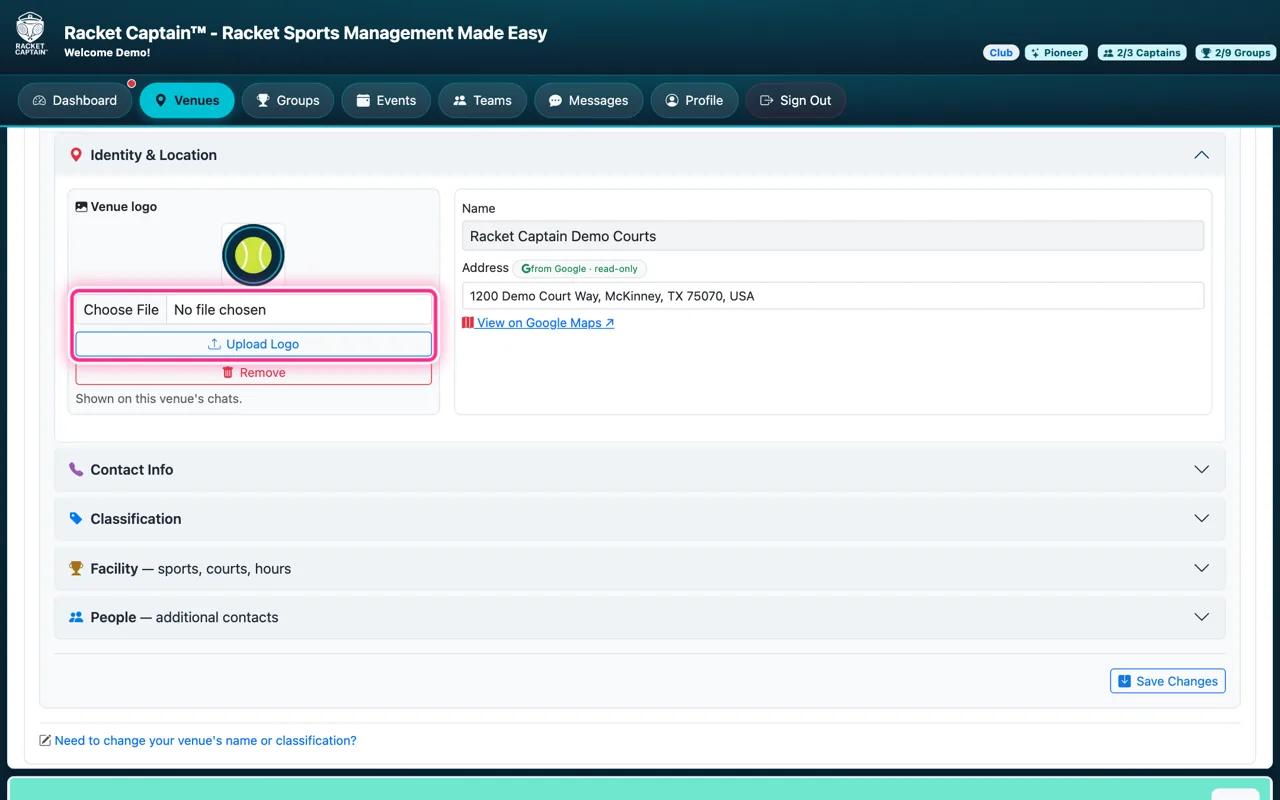
Step 5. Your logo lives under Identity & Location: Choose File, then Upload Logo. It appears on your venue card and as the avatar of your venue chat. Finish with Save Changes.
Fields in this section
| Field | What it means |
|---|---|
| Identity & Location | Name, address and map come from Google and are locked. Need the name changed? Use Need to change your venue's name or classification? at the bottom and Send Request to Racket Captain. |
| Classification | What kind of venue this is — club, park, school and so on. Locked; change it by request. |
| Contact info | General email, general phone and website. Public. |
| Facility | Sports offered and the courts for each — numbers, indoor or outdoor, lit — plus hours of operation and booking. |
| People | Contacts with a role at the venue. Public only when Show on venue card is ticked. |
| Evidence & Notes | Documents and notes for Racket Captain's verification. Never public. |
Good to know
- Tap Preview the card → to see exactly what everyone sees.
- Public by nature: address, phone, email, website, hours, courts, description and logo. Private by default: people.
- The Review your venue profile setup step clears the first time you open My Venue after verification.