Claim your venue
Become your venue's Verified Representative — from our invite link, or from the Venues page.
Open this in the app →-
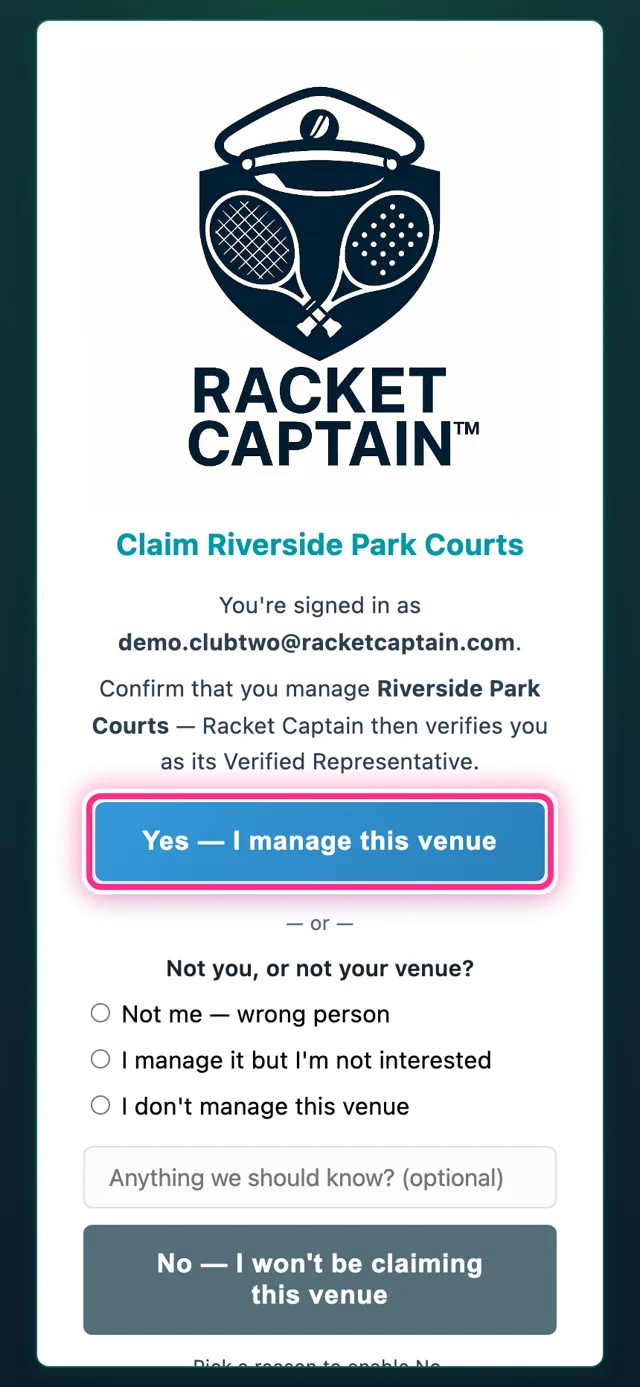
Step 1. Got a claim invite from Racket Captain? Open the link and sign in. On Claim your venue, tap Yes — I Manage This Venue.
-
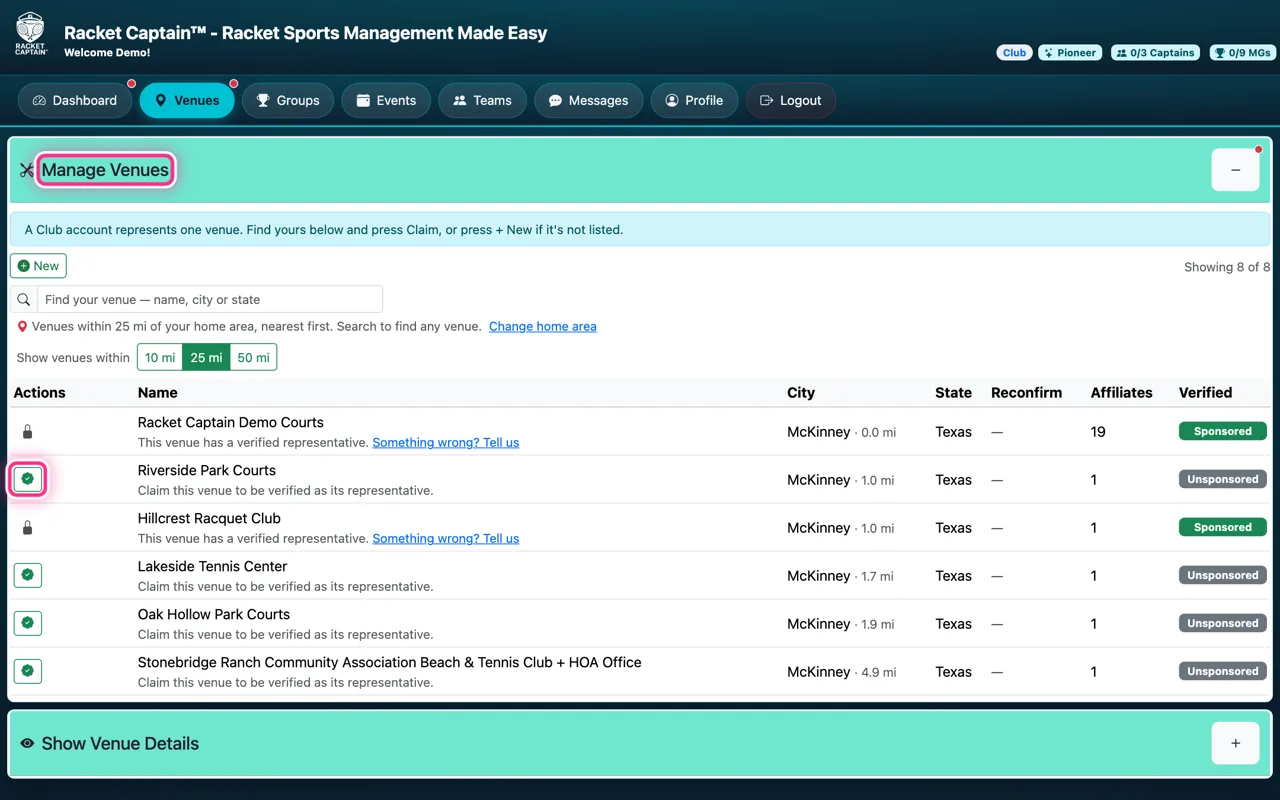
Step 2. No invite? Open Venues → Manage Venues. Your venue is listed? Tap the green claim button on its row.
-
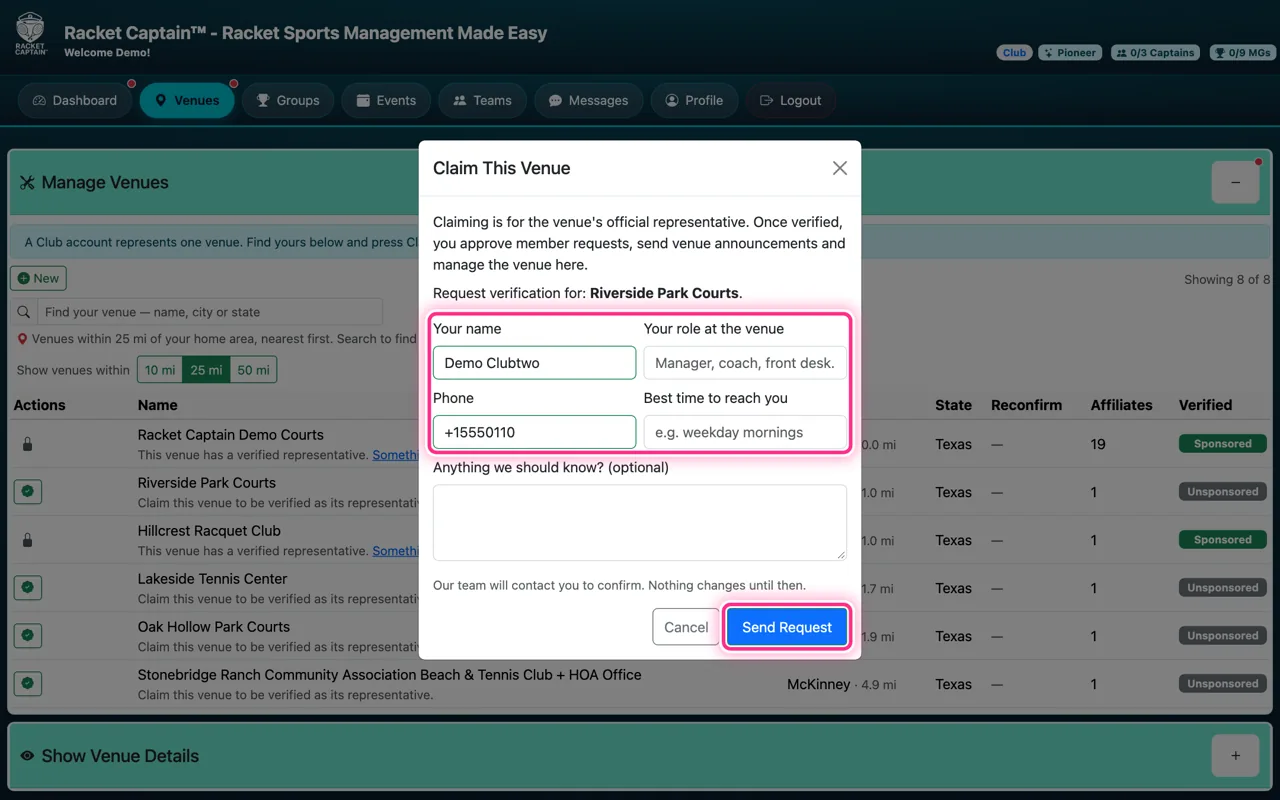
Step 3. Fill in Claim This Venue — Your name, Your role at the venue, Phone, Best time to reach you — and tap Send Request. Our team contacts you to confirm; nothing changes until then.
-
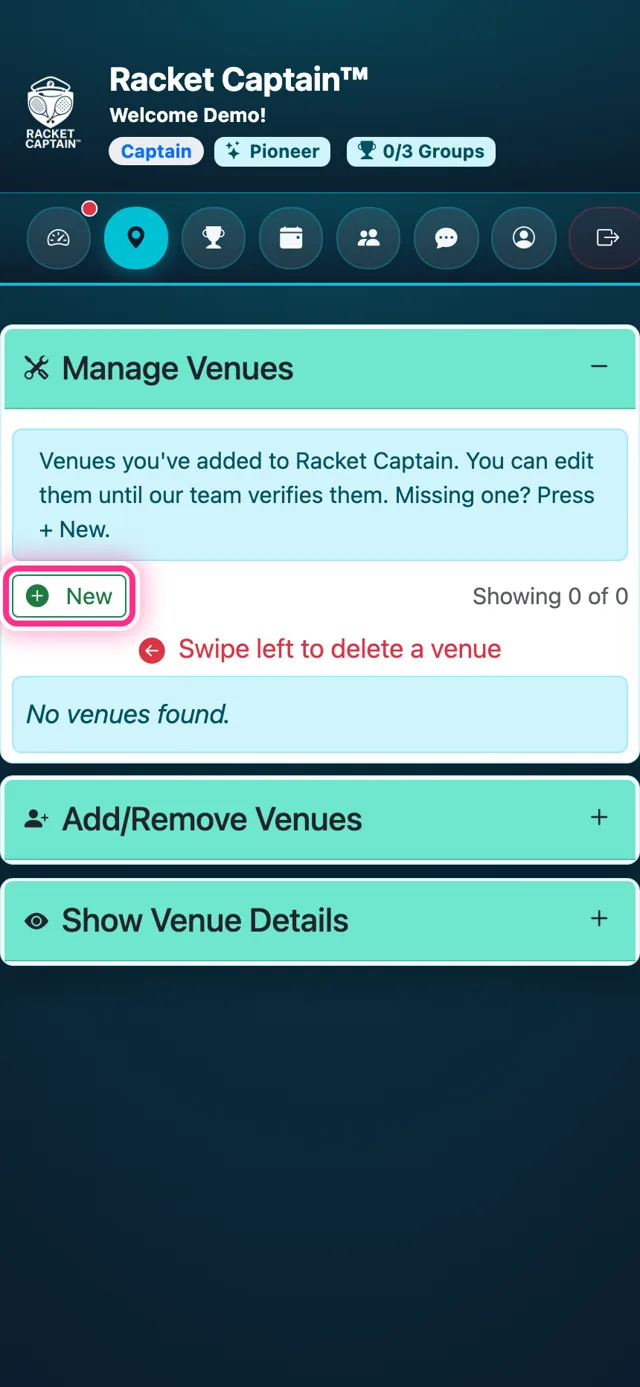
Step 4. Not listed at all? Tap + New and create it from Google Places, exactly as a captain would — see the captain guide Find or recommend your venue. It goes into review the same way.
Good to know
- Once verified, you approve member requests, send venue announcements and manage the venue here.
- Your dashboard reads Venue verification in review until then. To verify you, Racket Captain confirms through something the venue controls: an email address at your venue's website domain (the fastest — use it if you have one), a call to the venue's listed number, a reply from the venue's listed email, or a public page that names you. You'll get an email when it's done.
- The venue already has a representative? Its row shows a grey lock. Tap Something wrong? Tell us — your note goes to the Racket Captain team only, and we contact both of you before anything changes.
- Once you've sent a request or have your venue, Manage Venues shows just your Your venue card, with Edit, Open Venue and its status in plain words: Your request is with our team, Waiting for our team to verify, or Verified — you represent this venue.
- Been away? A venue that was yours shows Reclaim — it's waiting for you, with its members and groups.
- Recommending a venue is not claiming it: a captain who adds a venue never becomes its representative.