See your court and matchup
Find out which court you're on, and who you're playing with and against.
Open this in the app →-
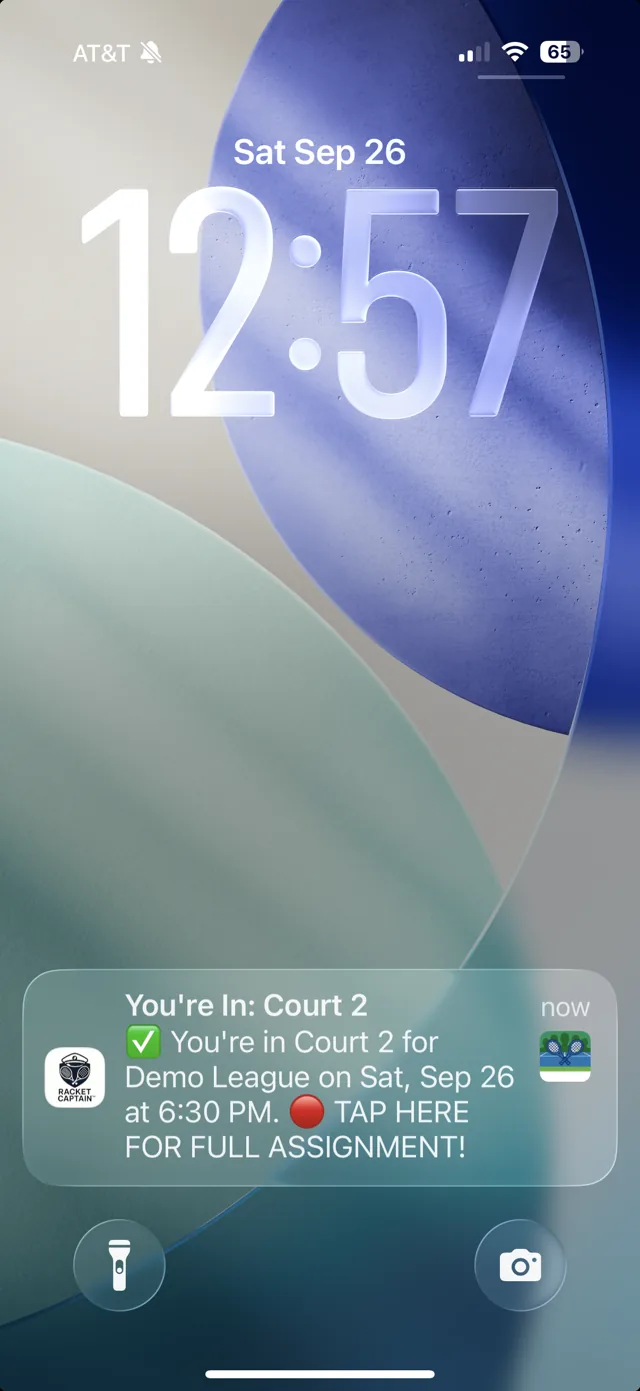
Step 1. When your captain posts the lineup, you get a notification — You're In, with your group, date and time. Tap it to go straight to your court.
-
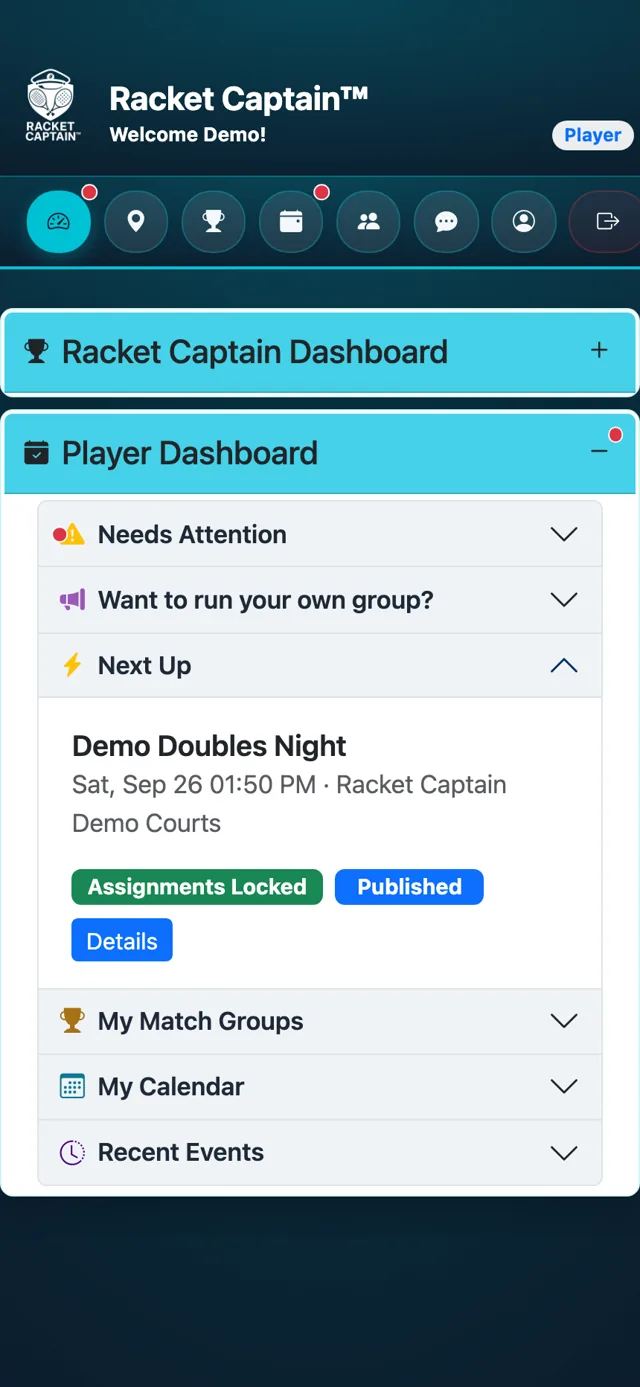
Step 2. Or open your Player Dashboard. Under Next Up, your match is marked Assignments Locked. Tap Details.
-
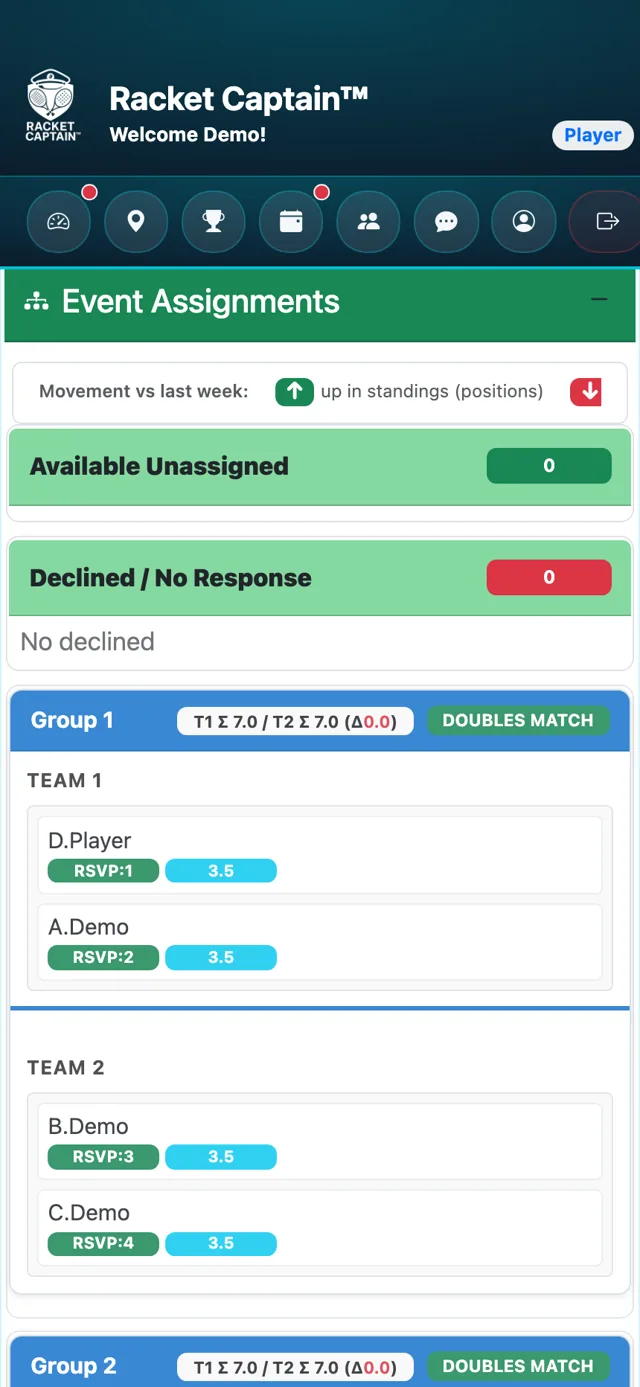
Step 3. The Event Assignments card shows every court. Find your name to see your court, your partner and your opponents.
-
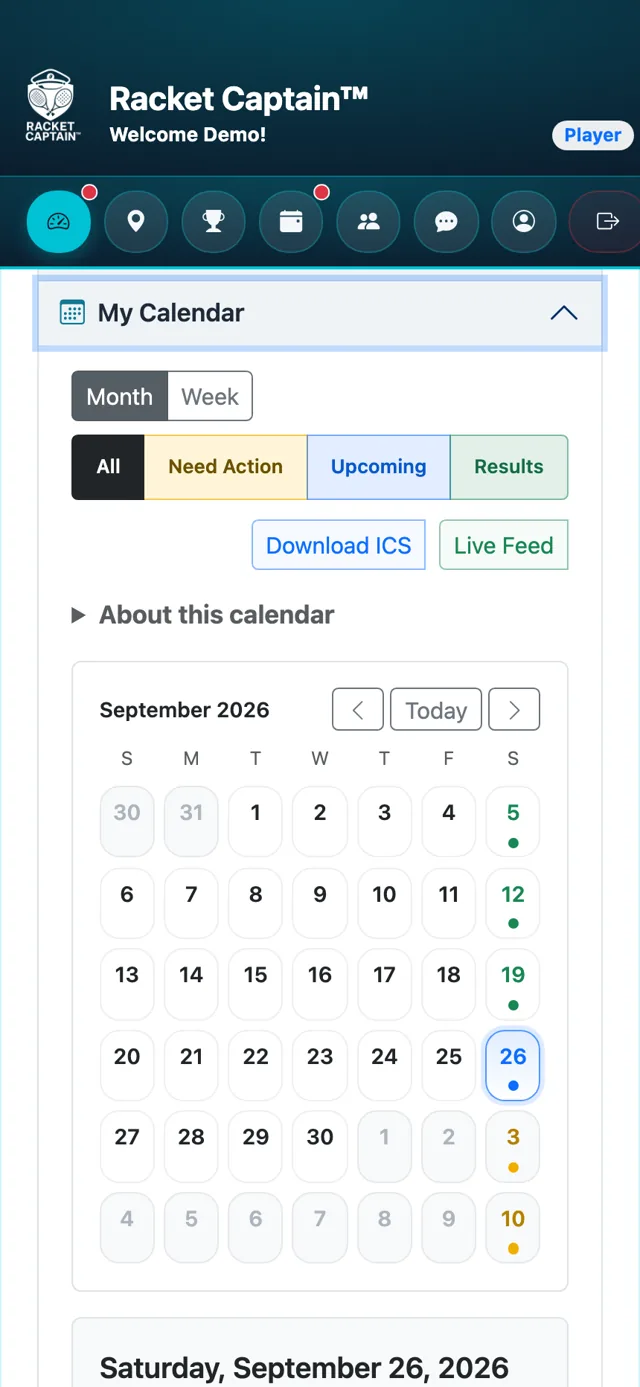
Step 4. Put your matches in your calendar: in My Calendar on your dashboard, tap Live Feed so any change syncs on its own, or Download ICS for a one-time copy.
Good to know
- The lineup appears once your captain locks it — before that you'll only see RSVPs.
- Not playing this week? The notification says Lineup Posted and tells you where you are in the RSVP order.
- A Substitute badge marks players filling in for someone.
- Non-Playing members can follow every event, lineup and result and stay in the chat, but are not in the draw.
