Team chat
Talk to your whole team in one place — no group texts needed.
Open this in the app →-
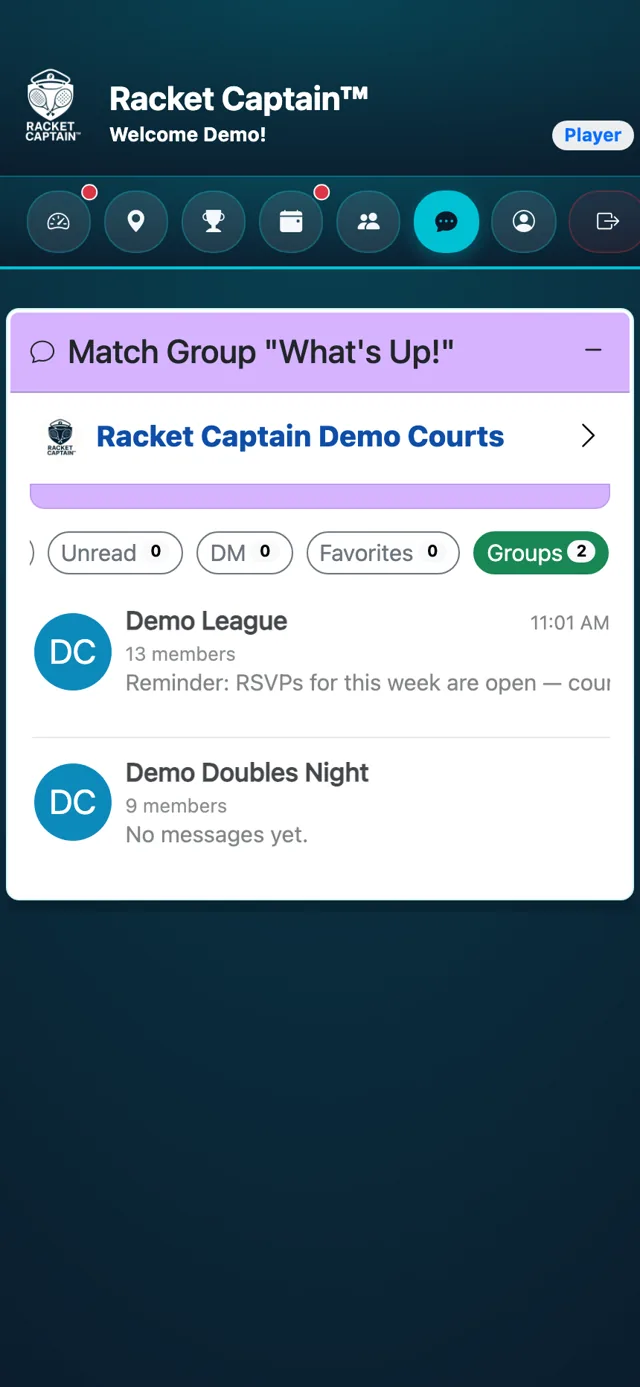
Step 1. Tap Messages. Choose the Groups filter to see your teams' chats.
-
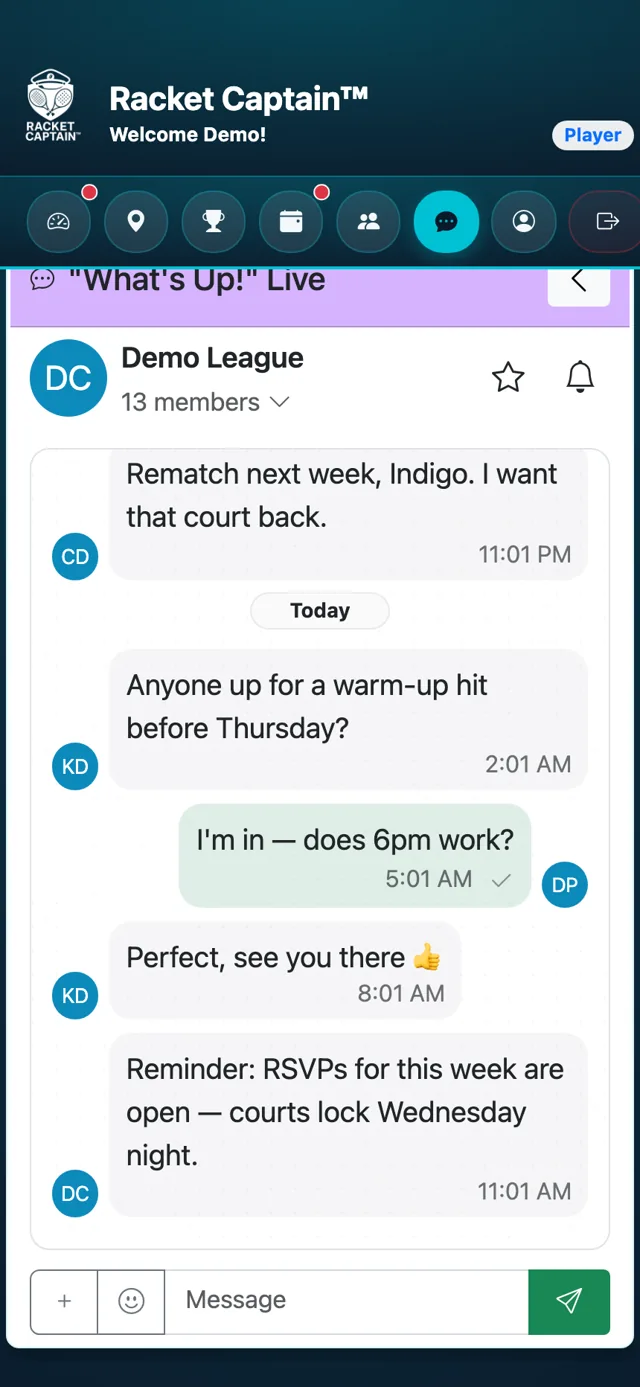
Step 2. Tap your team to open its "What's Up!" Live conversation.
-
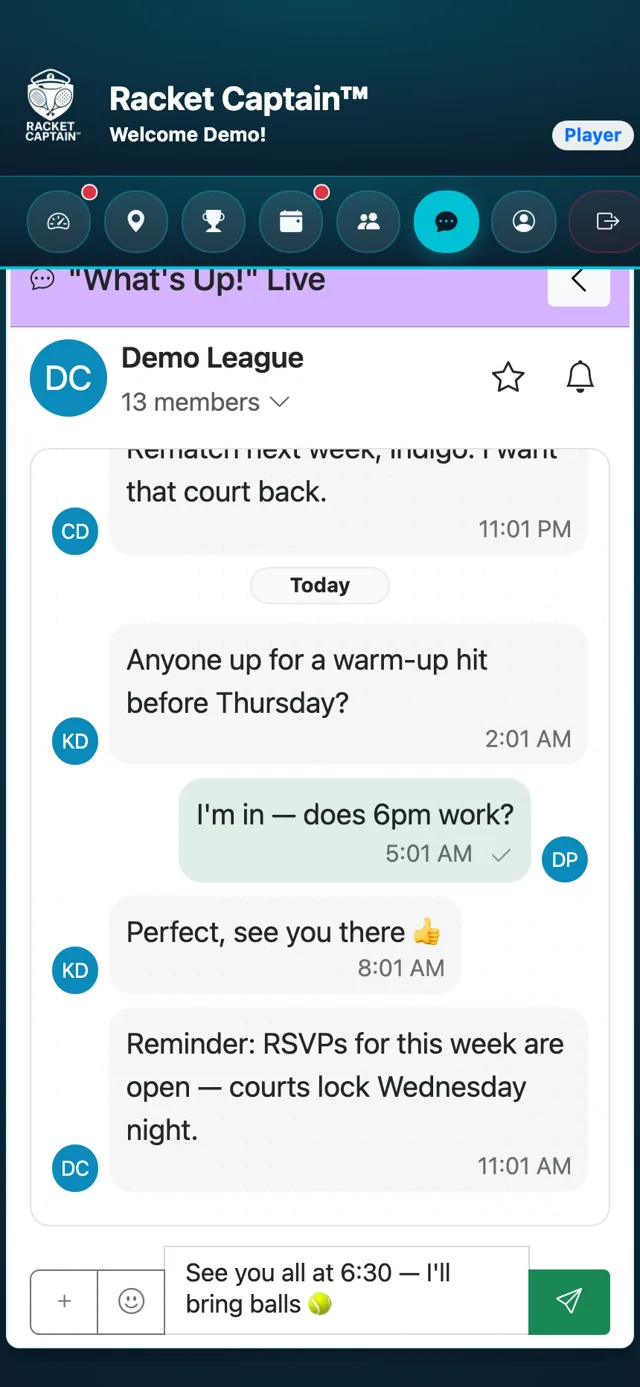
Step 3. Type in the Message box and tap Send. Tap Emoji to add one.
-
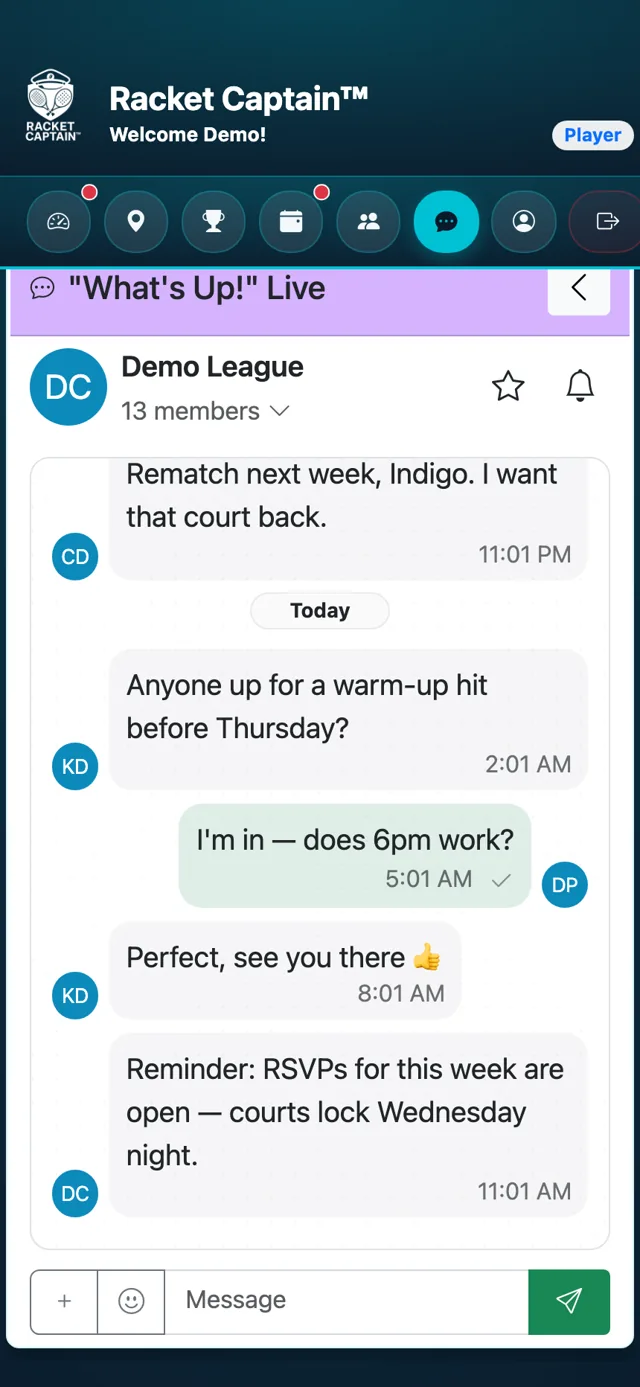
Step 4. Need some quiet? Tap Mute chat at the top of the conversation. Tap Unmute chat to turn it back on.
Good to know
- New messages arrive as notifications showing who wrote and what they said.
- You can also jump to your team's chat from the RSVP card for any match.
- Some captain announcements are one-way — you'll see Only Captains can reply to this broadcast.
- See something that doesn't belong? Use Report on the message and we'll review it.
