Check results & standings
See your scores after each match and where you stand in the Series.
Open this in the app →-
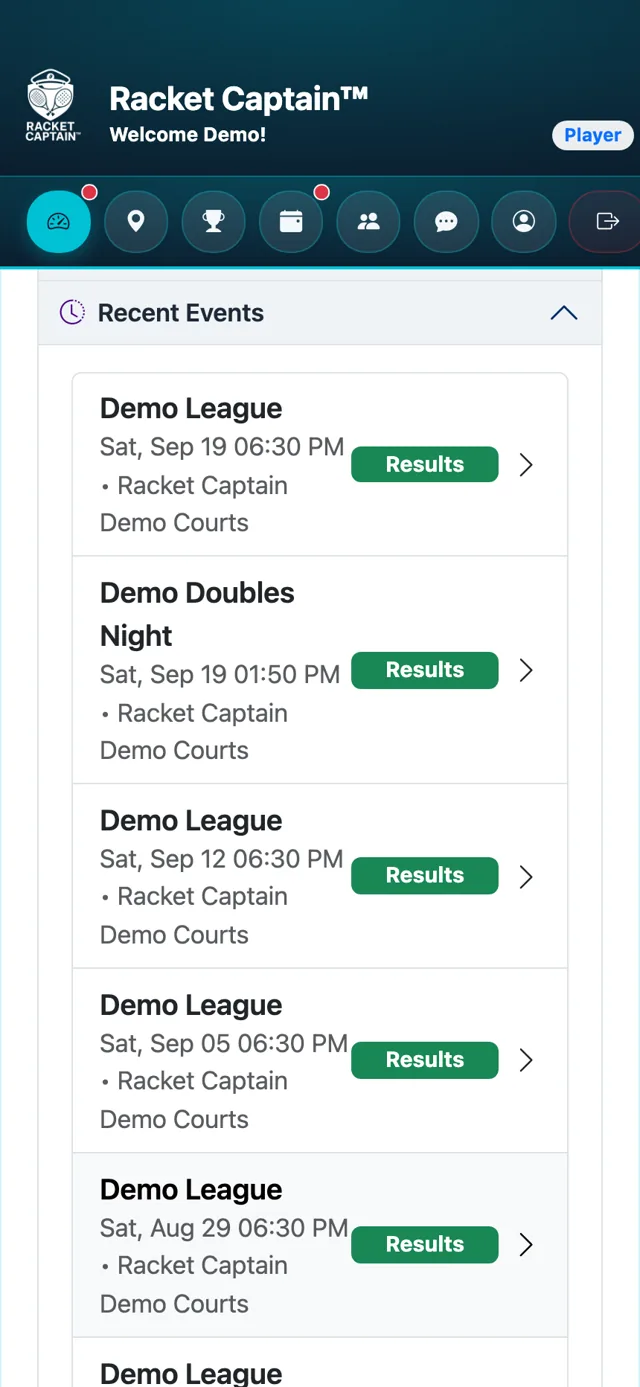
Step 1. On your Player Dashboard, open Recent Events and tap your match.
-
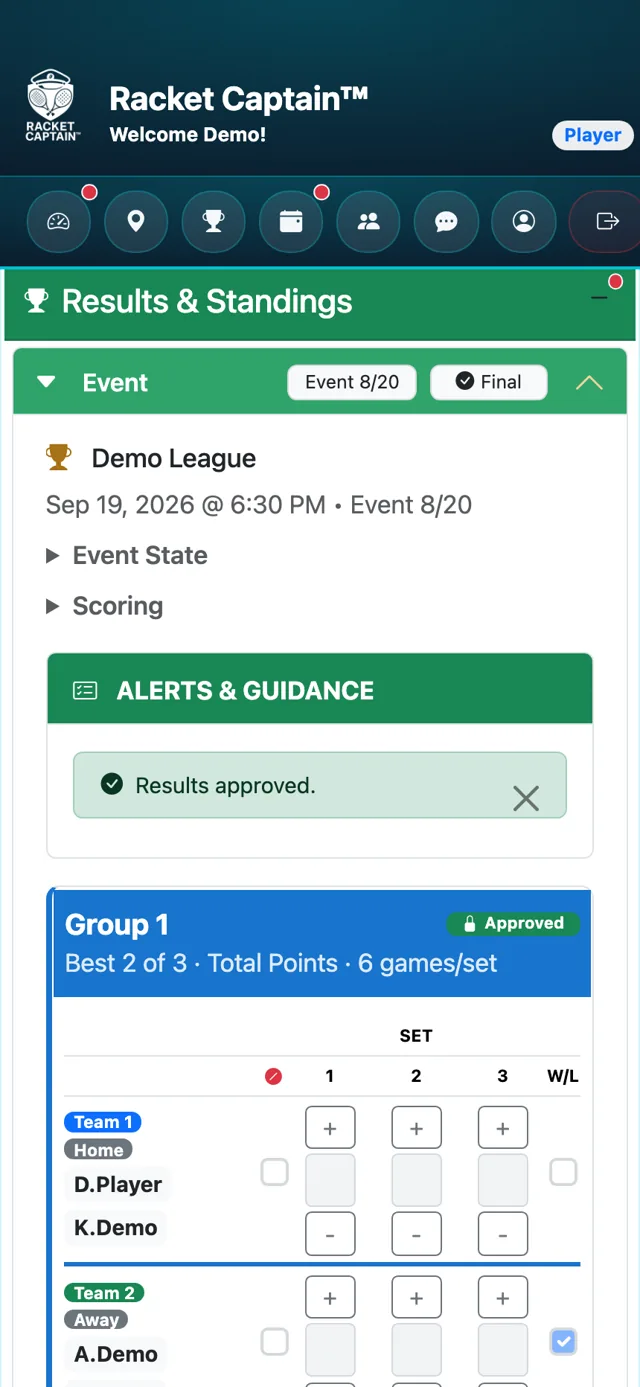
Step 2. The Results & Standings card opens, with the result for every court.
-
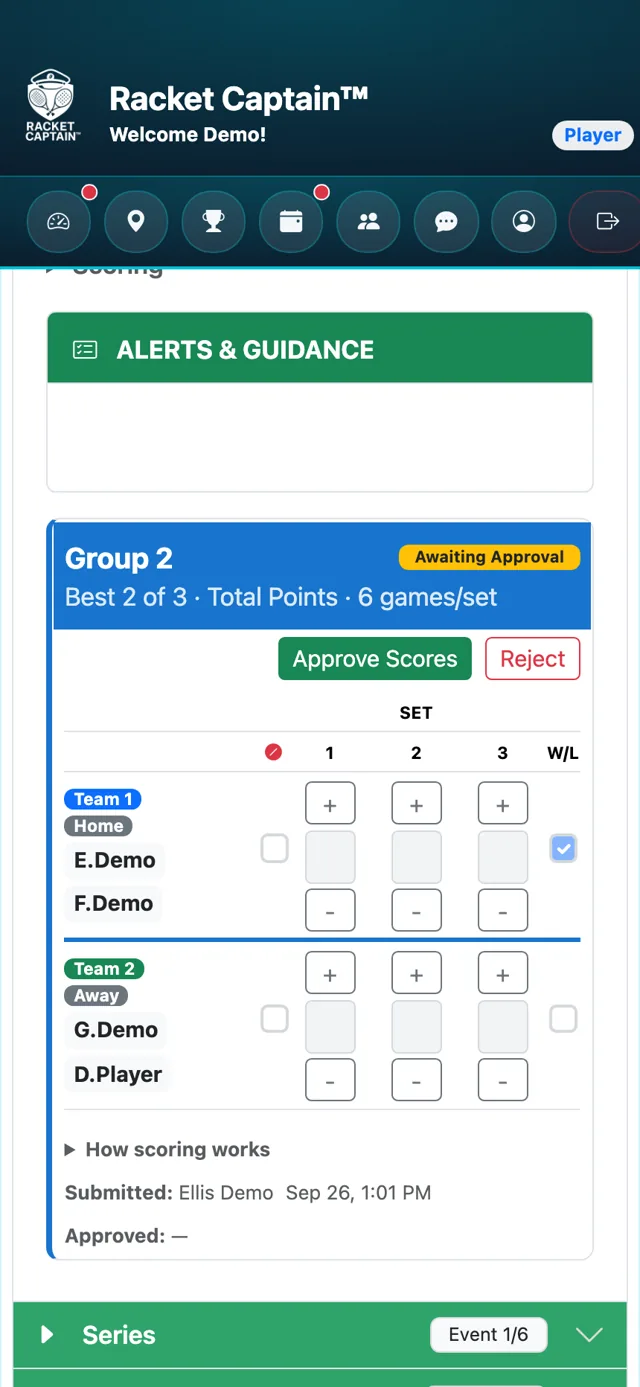
Step 3. Asked to enter scores? One player on the court taps Submit Scores, then a second player on that court checks them and taps Approve Scores — or Reject with a reason.
-
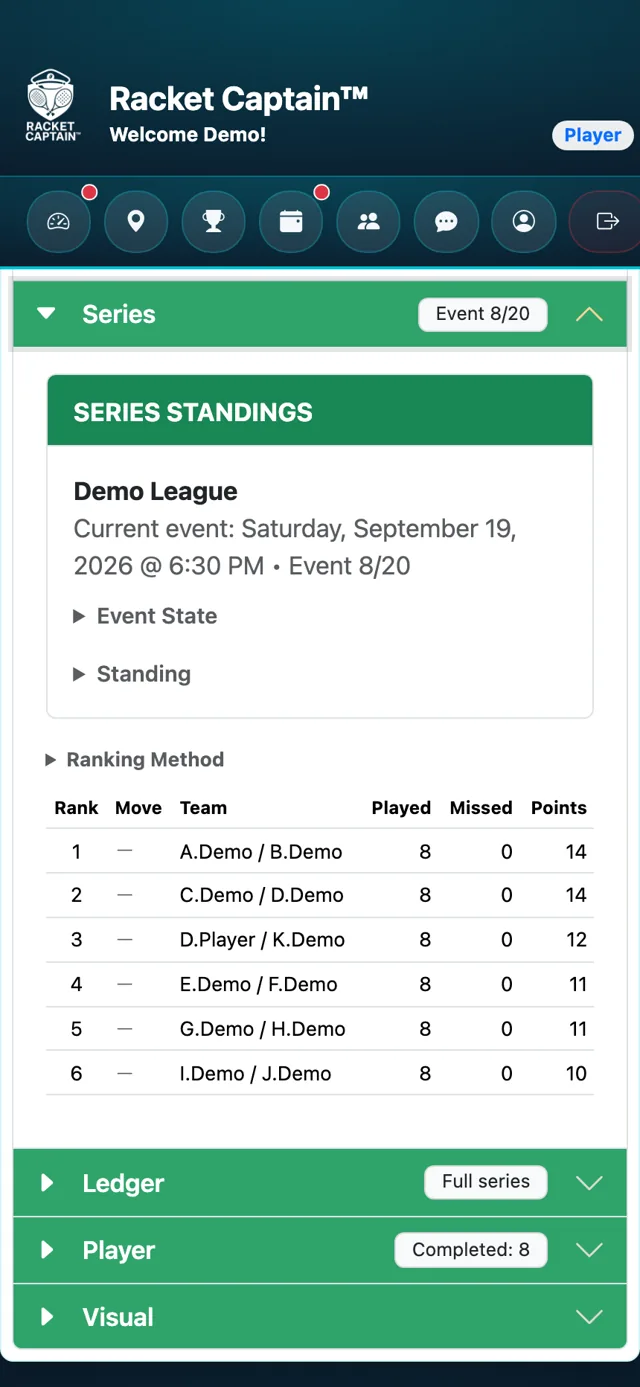
Step 4. Tap Series to see the SERIES STANDINGS — your rank and record for the whole Series.
Good to know
- Results read Provisional — not yet approved until they're confirmed, then Final results.
- After your match you'll get a Submit Results reminder if your court still needs scores.
- If nobody confirms by the deadline, the submitted scores stand.
- The standings columns depend on how your captain runs the Series — for example Won, Lost and Win %.
