See your team
Check your group's schedule, next event and who's on the roster.
Open this in the app →-
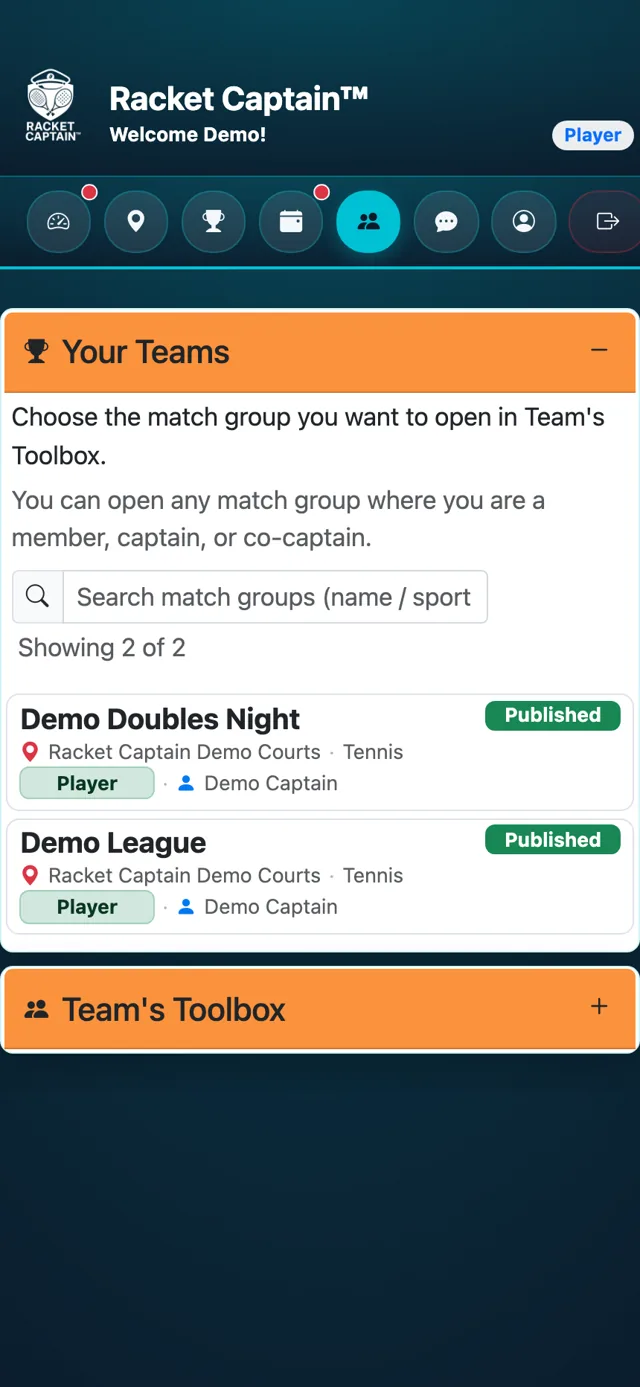
Step 1. Tap Teams. Your Teams lists the groups you play in. Tap your group's name.
-
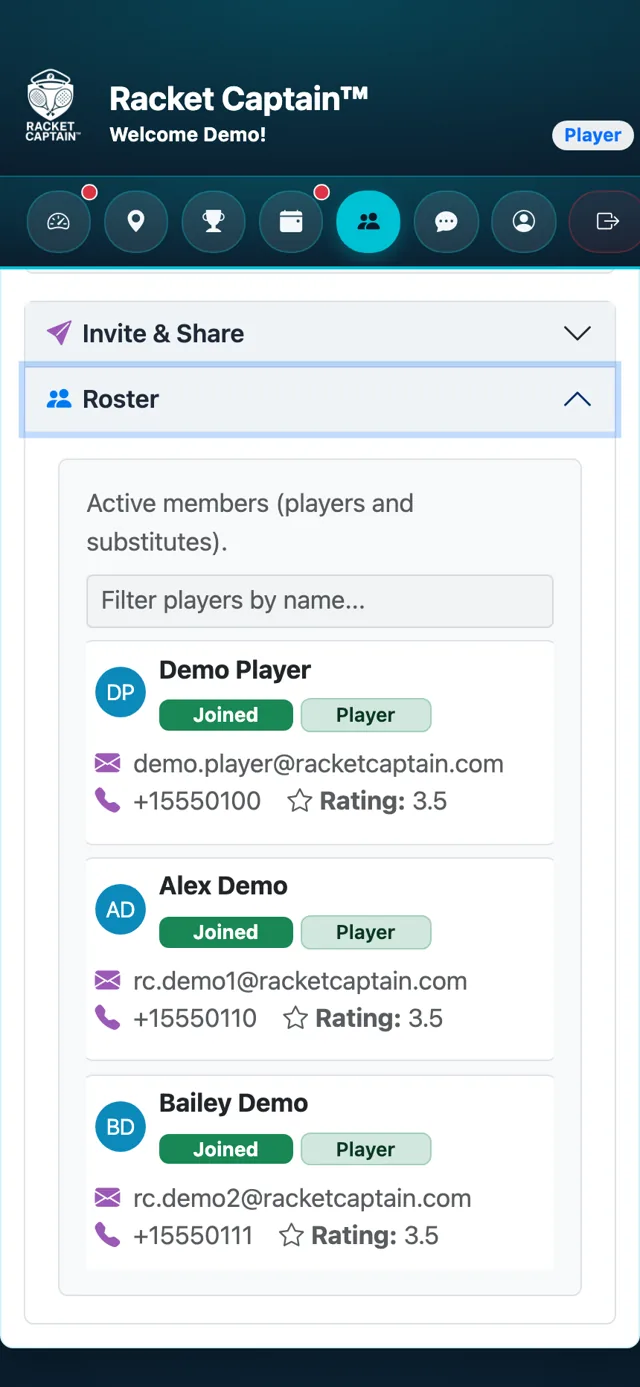
Step 2. Team's Toolbox opens with a summary — the schedule, the next event and how many have played. Open Roster to see everyone in the group.
Fields in this section
| Field | What it means |
|---|---|
| Series | Status, events completed, the schedule and the next event. |
| Roster | Everyone in the group, with their rating. You can look, but only your captain can change it. |
Good to know
- Your captain's name is on each group in Your Teams — message them from team chat if you have a question.
