RSVP to a match
Tell your captain whether you can play — it takes two taps.
Open this in the app →-
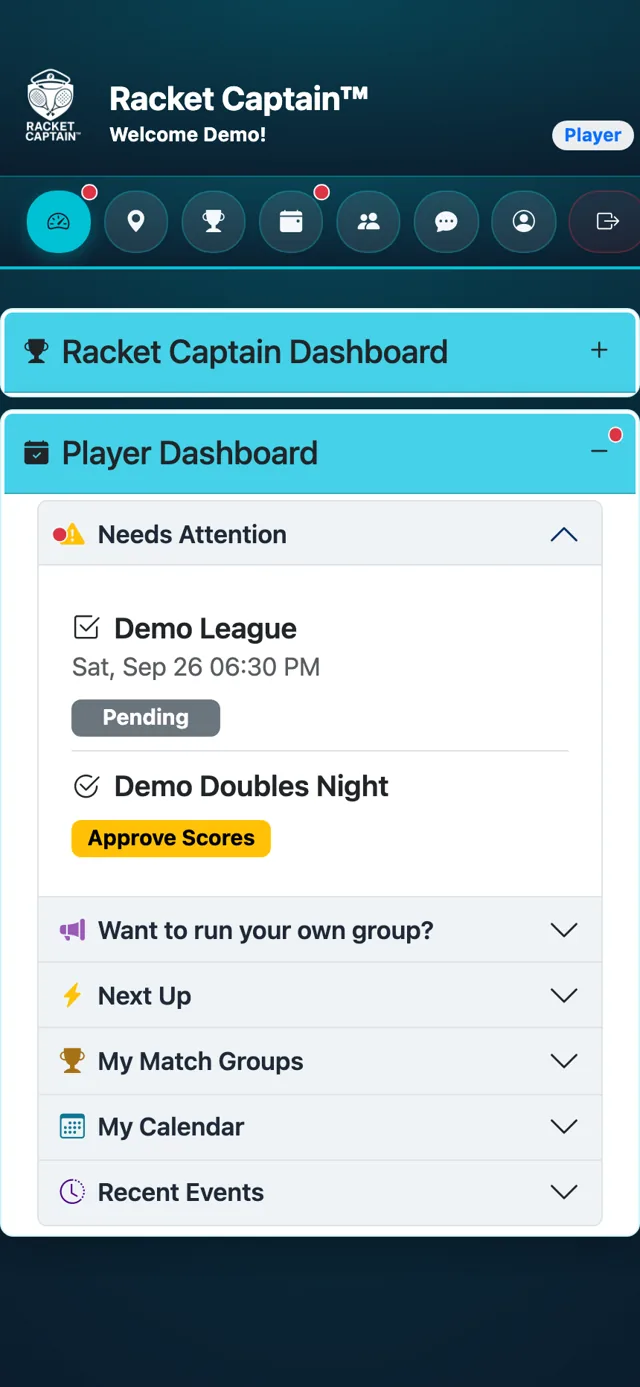
Step 1. Open Racket Captain. Any match waiting for your answer shows under Needs Attention at the top of your Player Dashboard, marked Pending.
-
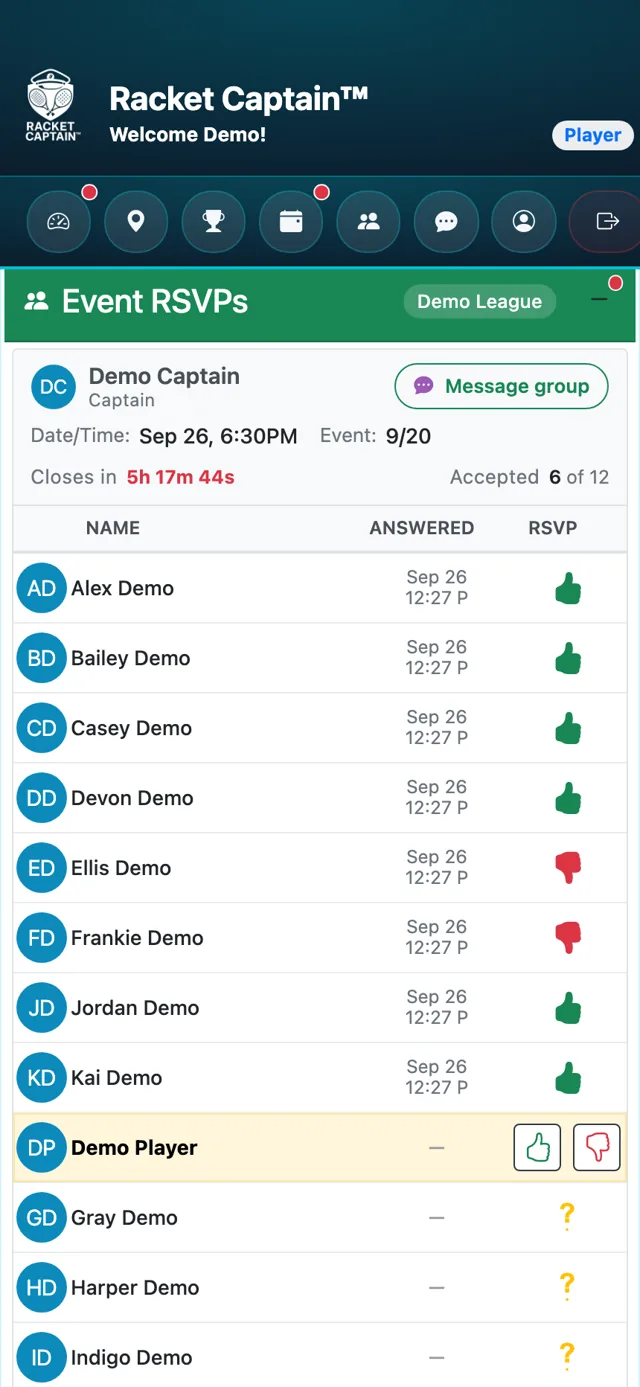
Step 2. Tap the match. The Event RSVPs card opens, with your name in the list.
-
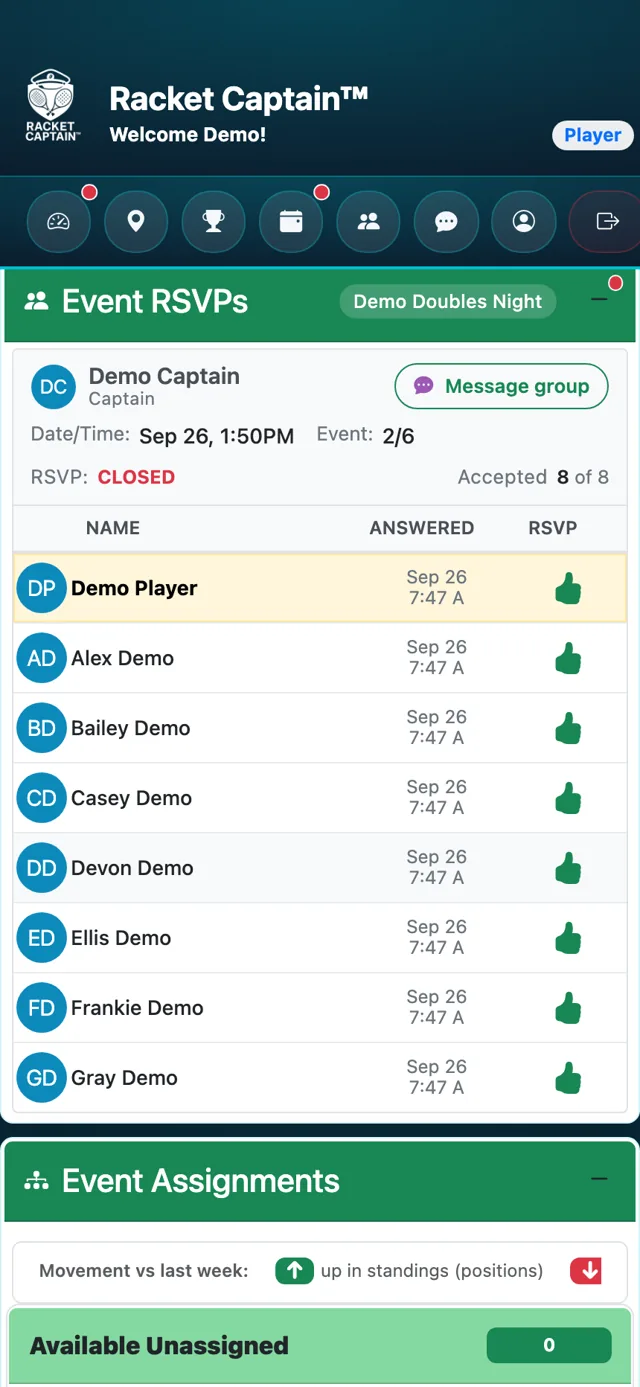
Step 3. Tap thumbs-up if you can play, or thumbs-down if you can't. Your choice turns solid, Answered shows the time, and a confirmation email is on its way.
-
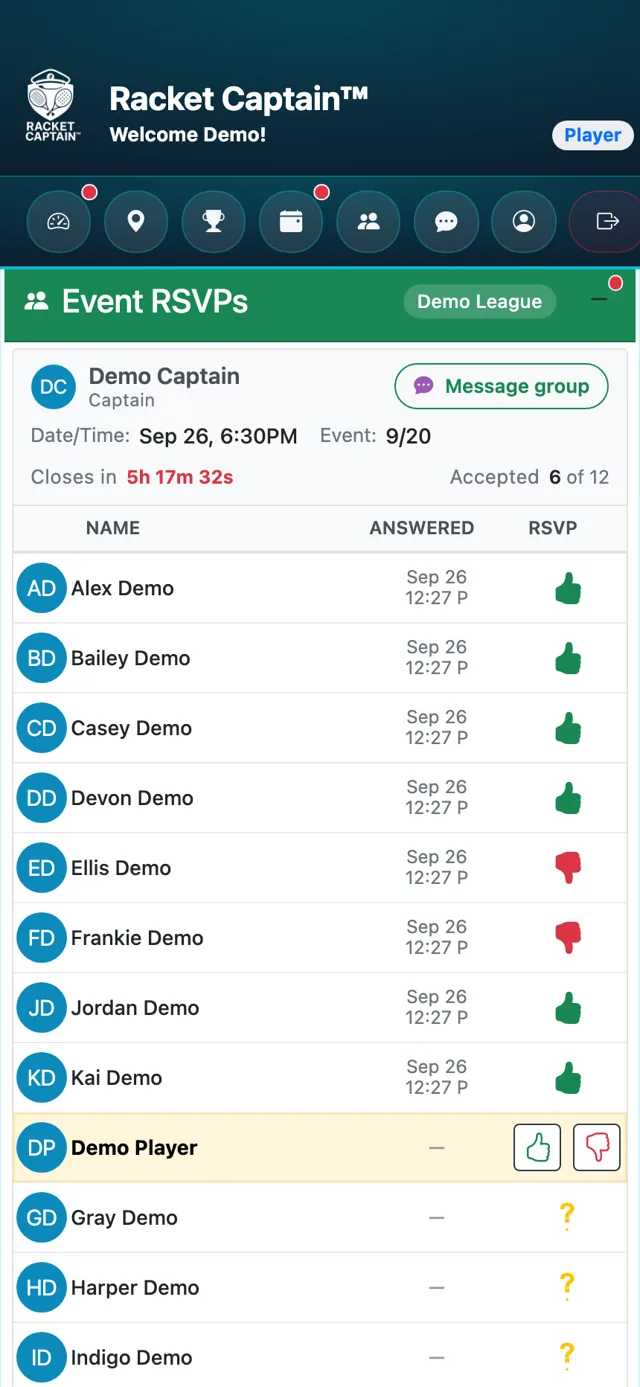
Step 4. Changed your mind? Tap the other thumb. You can switch any time until RSVPs close — Closes in shows how long you have.
Good to know
- Fastest way: answer right from the notification. Press and hold it (iPhone) or expand it (Android), then tap Yes or No — no need to open the app.
- Email reminders have an RSVP Now button that takes you to the same card.
- Whole-Series RSVP: if your captain has turned it on, you can answer every week at once in Current Events, using the Your RSVP column.
- Once RSVPs close, the card shows CLOSED. If your plans change after that, let your captain know in team chat.
