Join your team
Get on your team's roster — from your captain's invite link, or by finding the group yourself.
Open this in the app →-
Step 1. Got an invite link or QR code from your captain? Open it on your phone while signed in to Racket Captain. Your team's Match Group details open.
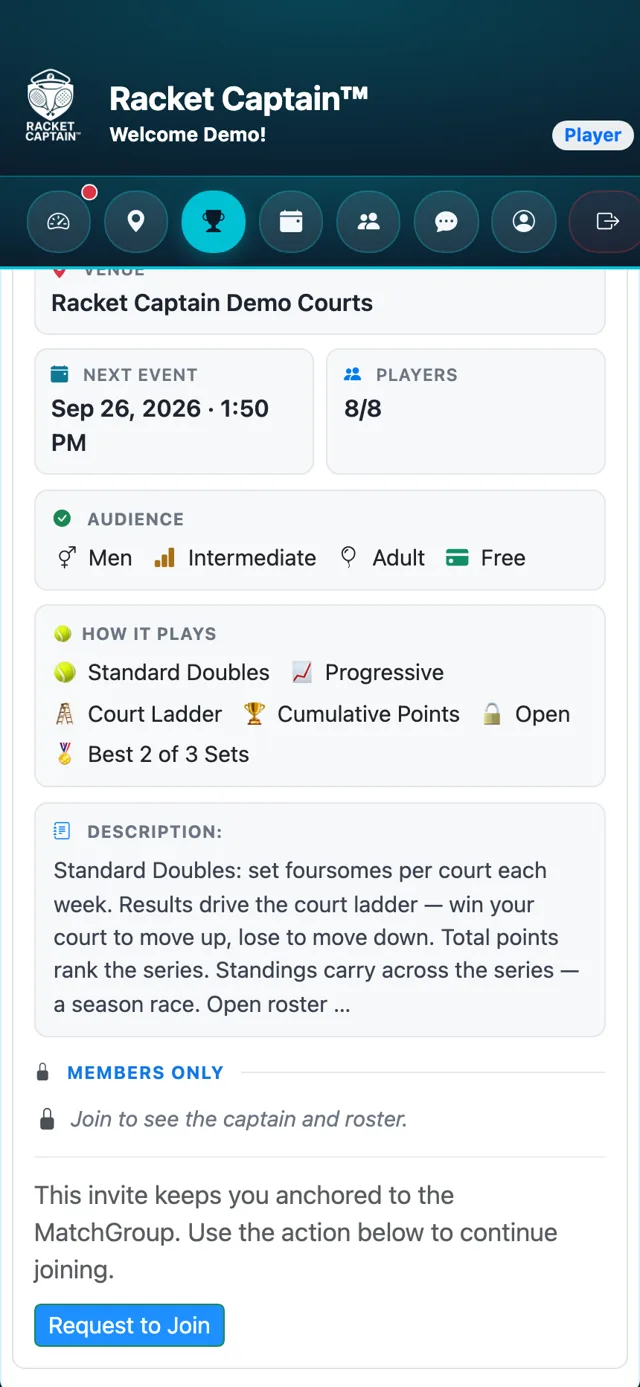
-
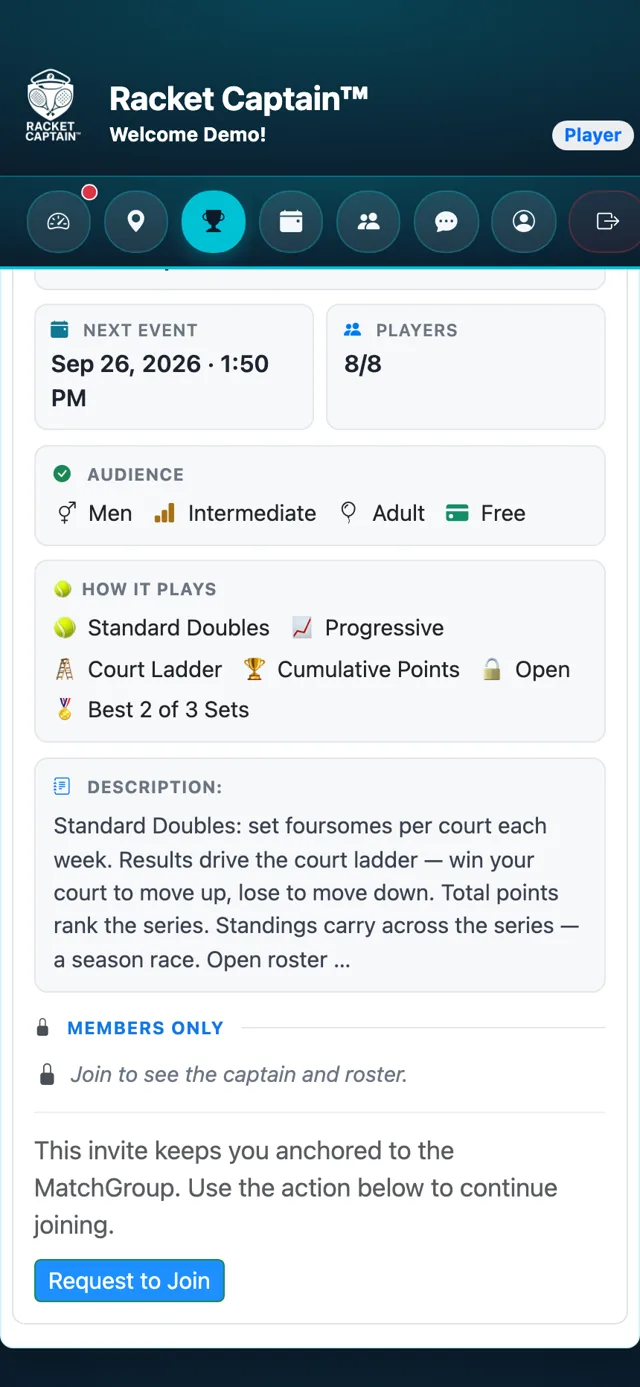
Step 2. Tap Join MatchGroup. If your captain approves new members, the button says Request to Join instead.
-
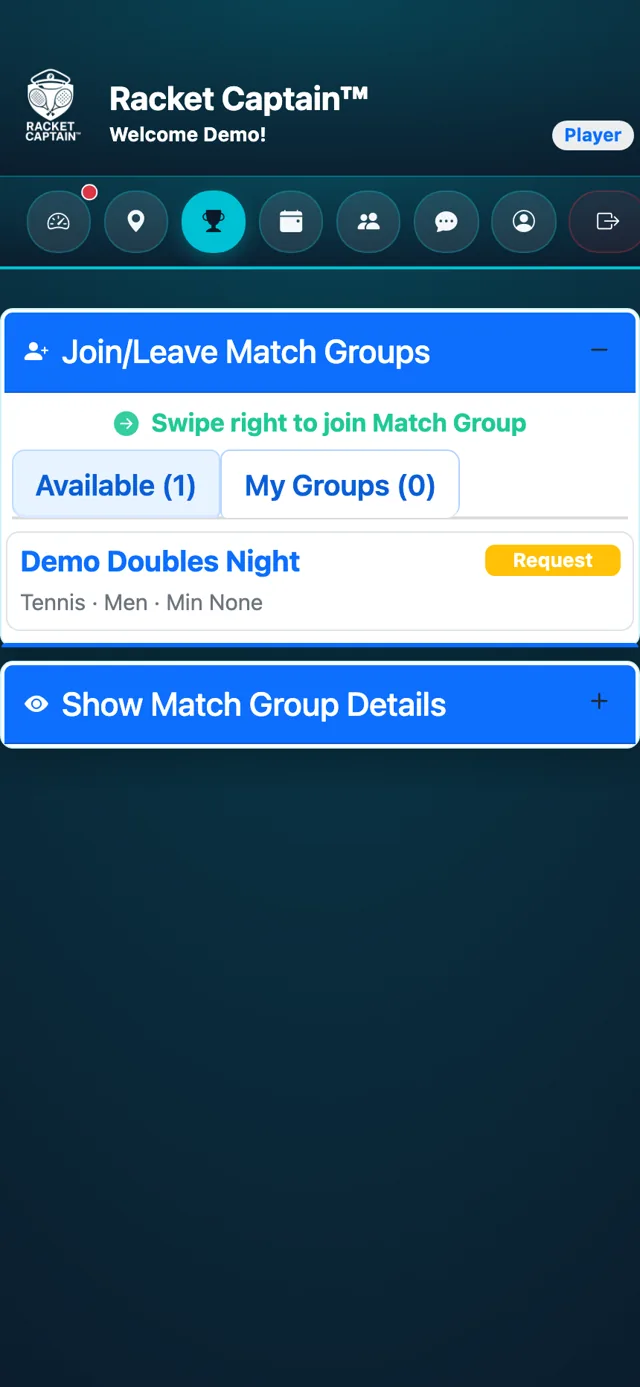
Step 3. No link? Open Join/Leave Match Groups. On the Available tab, search for your group by name.
-
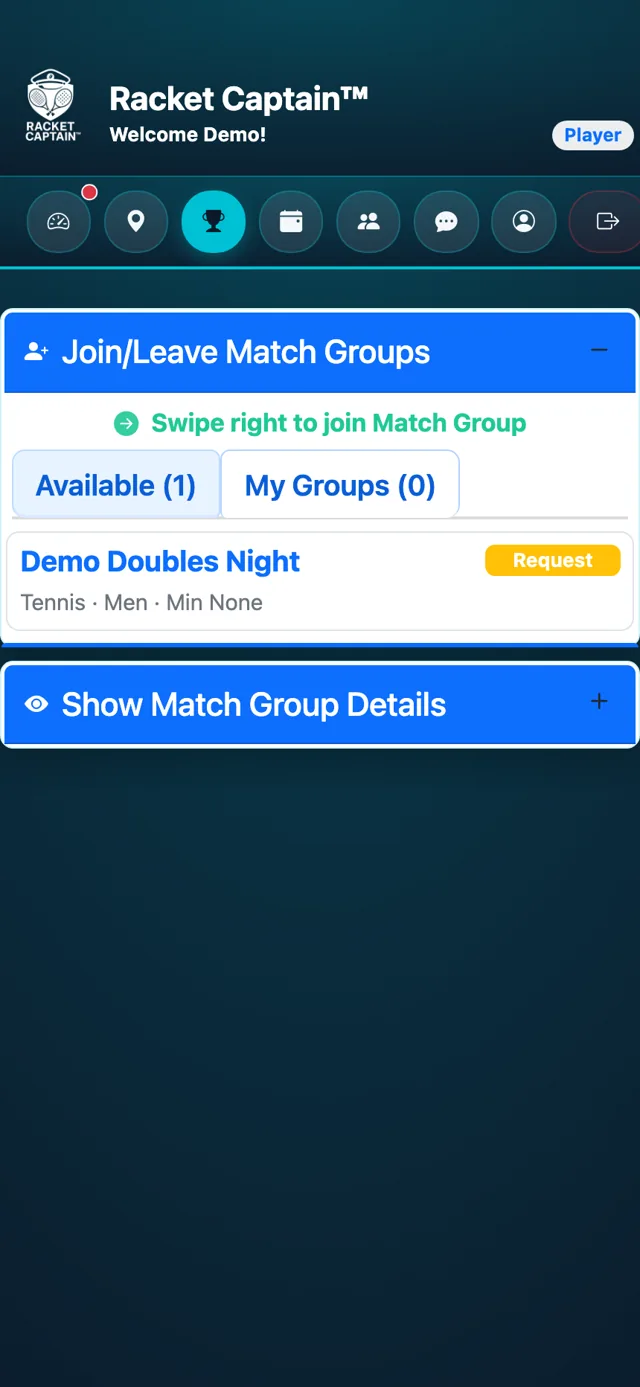
Step 4. Tap Join next to your group — or, on a phone, swipe right anywhere on its row and tap the button that appears. If the captain allows substitutes, choose Player or Substitute.
-
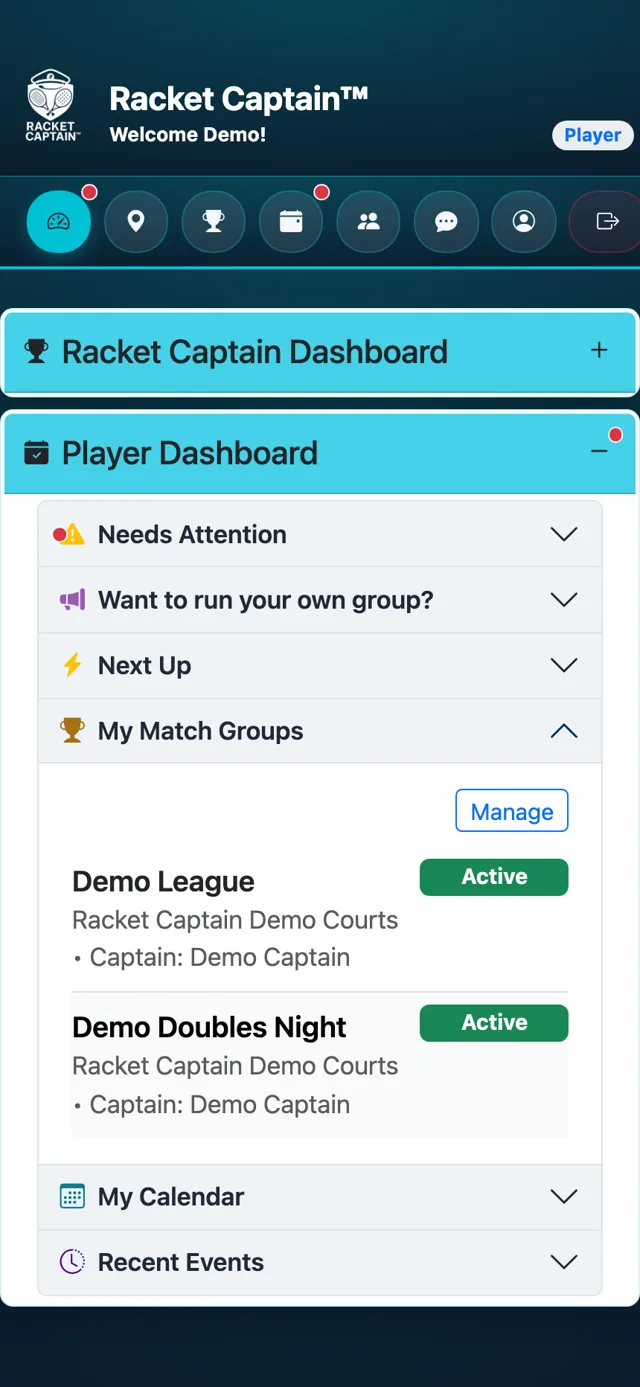
Step 5. You're in when the group shows under My Match Groups on your dashboard. A request shows Pending until your captain approves it.
Good to know
- Not in the group's venue yet? Joining the group joins the venue too. If the venue approves its members, you'll see Awaiting venue approval — your team join finishes on its own once they approve.
- Don't see your group? The list shows groups at venues you've joined, for the sports you picked in your profile. See Find your venue first.
- Invite link opened the download page? Install the app, sign in, then open the link again.
- To leave a group on a phone, swipe left anywhere on its row in My Groups and tap the button that appears.
